Release notes
Last updated: October 12, 2026
This page contains the release notes for 2026.
Release notes 2026.8
- Build number: 41361
- Release date: 27th of September 2026
Changes
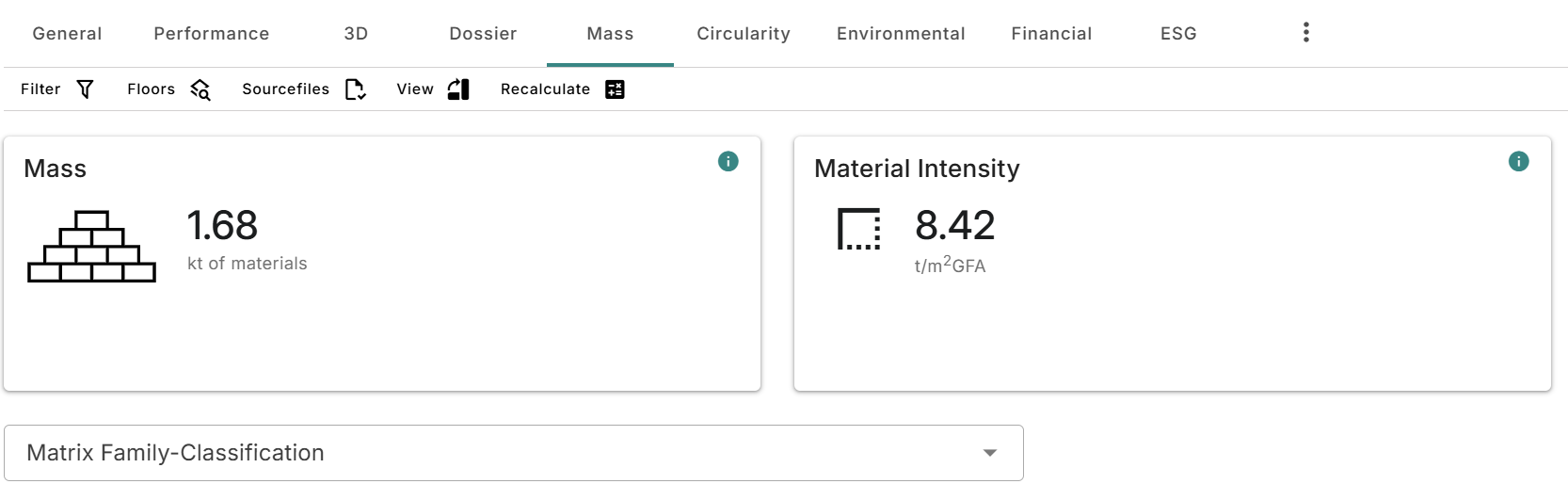
- When navigating to the mass tab and selecting to view it by classification the material intensity is now shown:
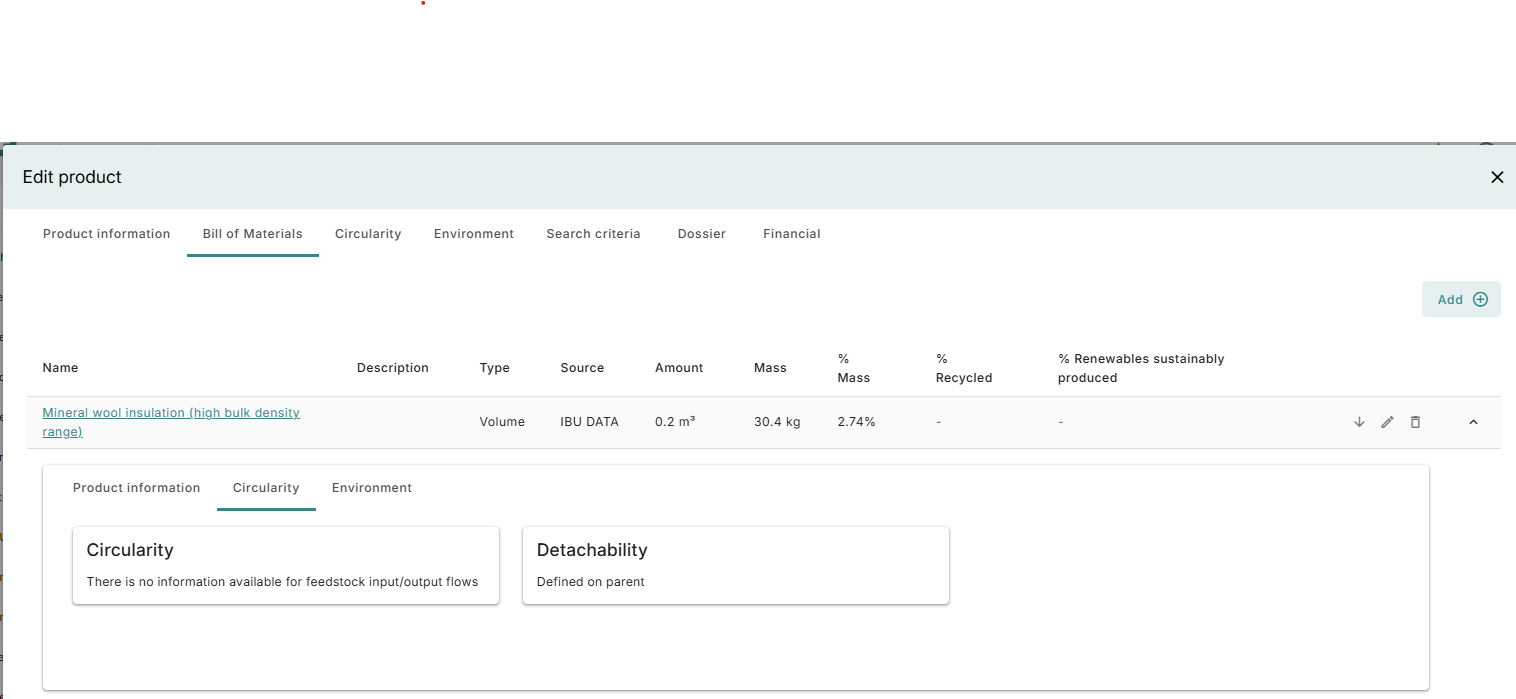
- When using a bill of materials product detachability is no longer shown on the bill of materials products because the value is taken from the top level:
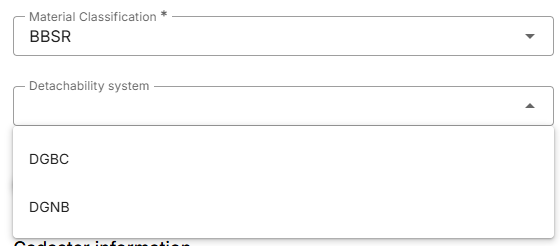
- The DGNB Detachability and Material Separability have been implemented directly instead of through a mapping from the DGBC method. This can be selected on a building:
- Quality level has been added to products, this is used for calculating the Material compatibility for the DGNB
Country specific
For Germany and DACH
- It is now possible to use the QNG energy calculations on a DGNB building, this includes using A2 energy profiles
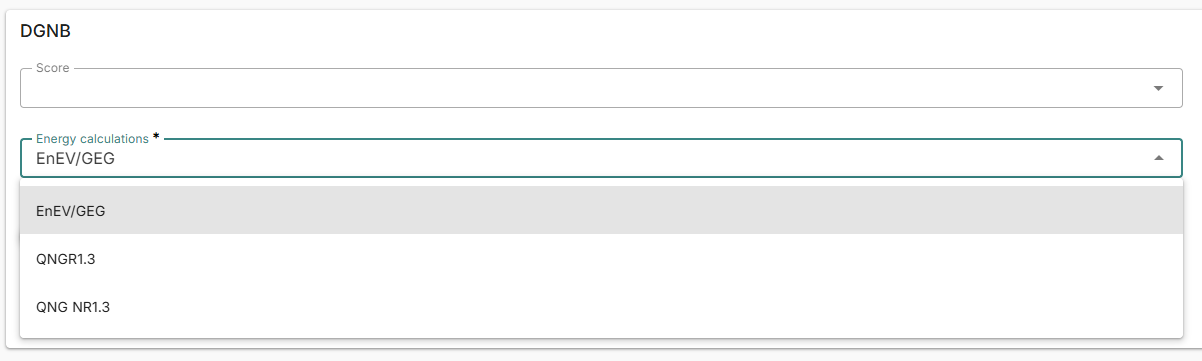
- The DGNB new construction scheme can now be selected for any building phase
- The DGNB 2023.2 scheme has been added, including its correct KPI’s
- It has been made more clear if the lifespan from the BNB is used
-
Latest changes to Madaster Match:
- It is now possible to manage documents to a product in Madaster Match:
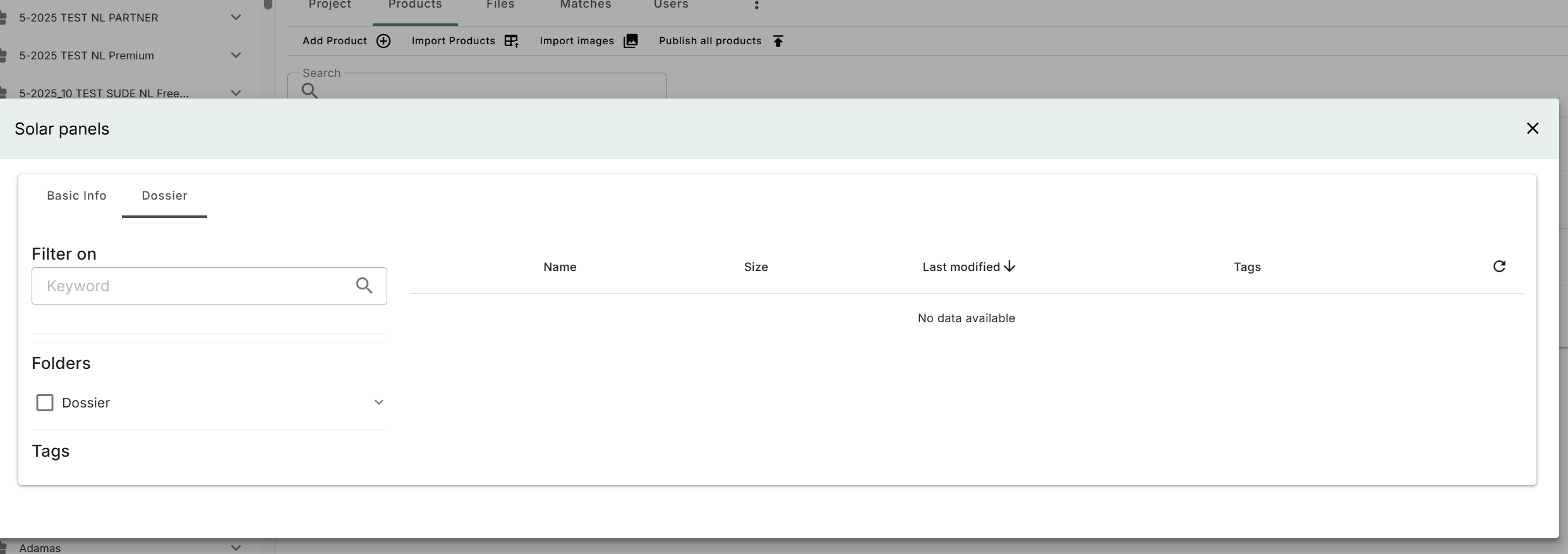
The dossier tab on a product in Madaster Match, where documents can be managed. - Authorizations have been changed: </br>A reader is now able to view products and matches. The transfer objects role can no longer interact with most of Madaster Match’s features.
- After creating a Madaster Match project, the new project is now opened directly.
Bugfixes
- An issue has been resolved where child elements could appear twice after splitting an element.
Release notes 2026.7
- Build number: 40561
- Release date: 15th of August 2026
Overview of Seach Criteria
An overview of search criteria has been added to account, folder and object level:
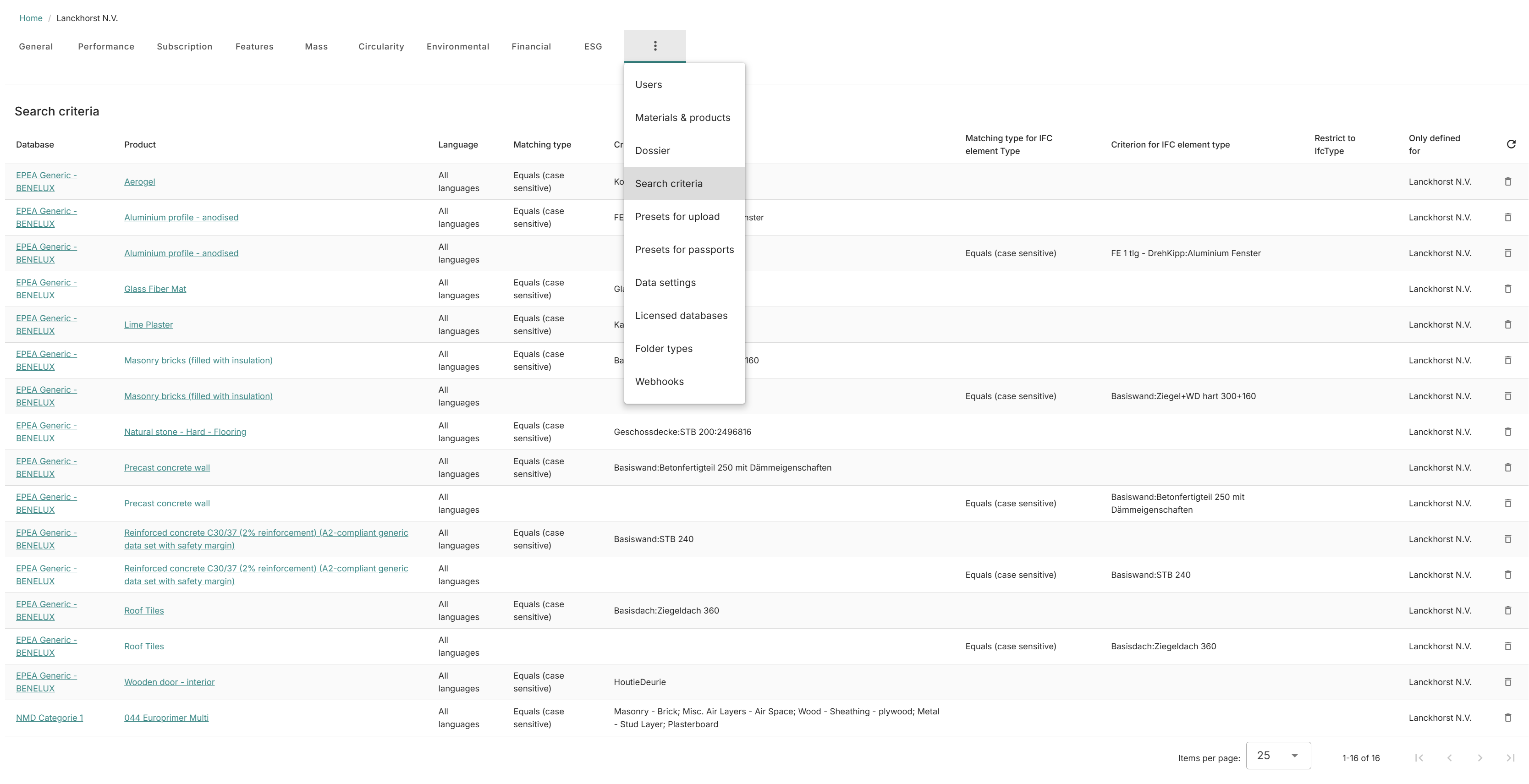
It is possible to delete a search criterion here, as well as to navigate to the database or product directly.
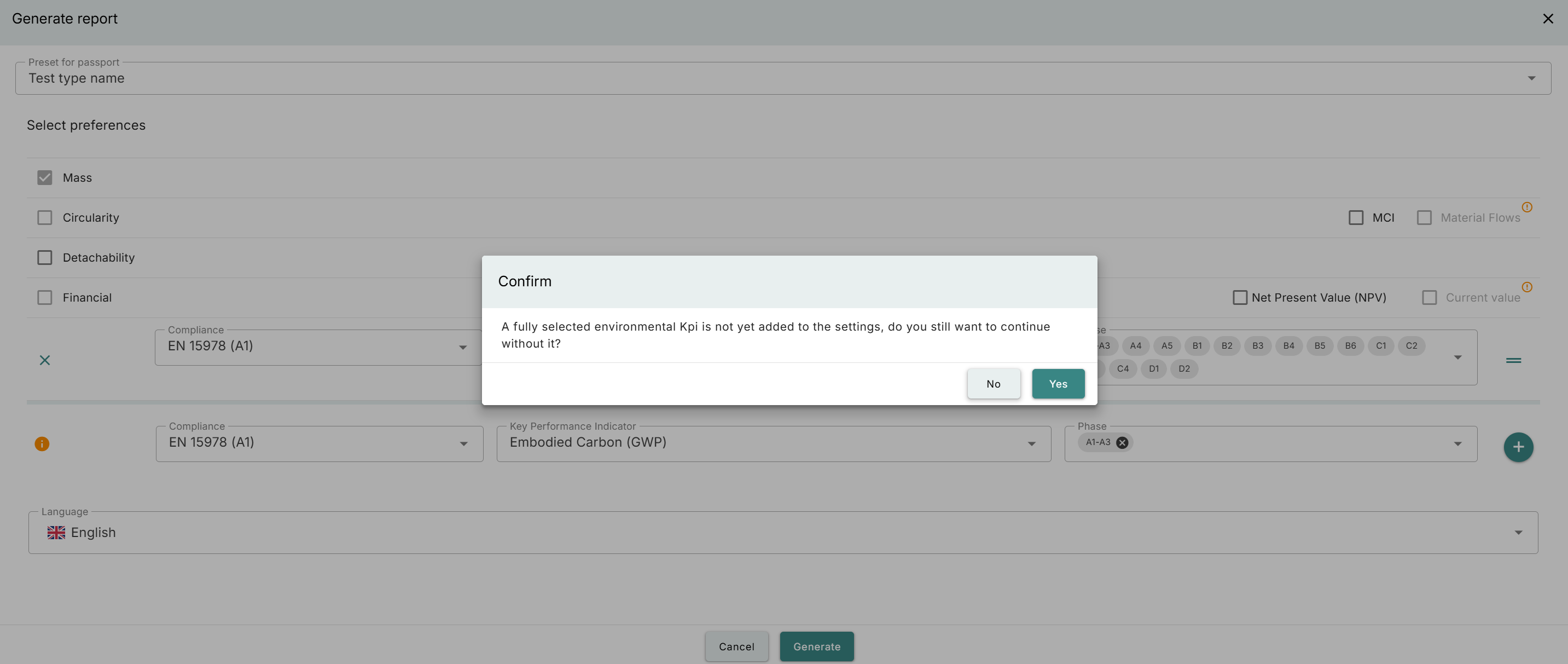
Reminder to not forget to add KPI
When generating a report and setting up the KPI’s to be added it would happen that people would forget to click on the ‘+’. We have added some UI help to remind users that they might still have a KPI ready to be added:
Country specific
For the Netherlands
We implemented the ‘soepelere en gewogen MPG eis’ voor A2. For selecting the correct area’s and usages we have added the following options:
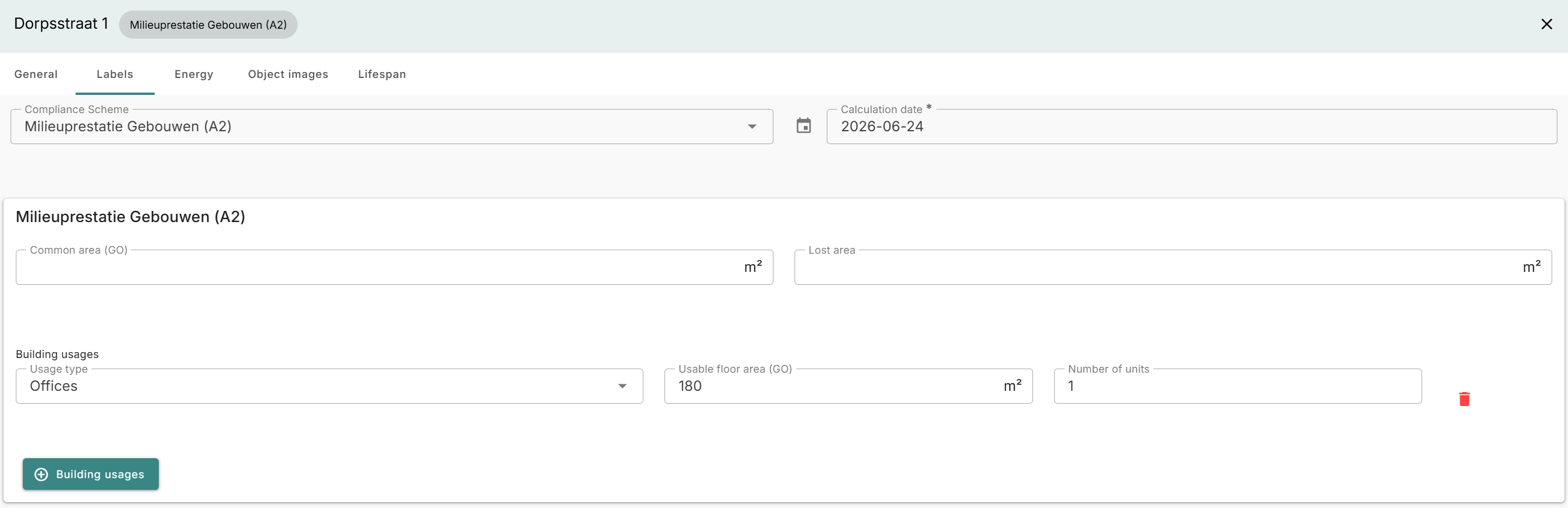
This will also show the recalculated MPG target as a benchmark in the platform:
For Germany and Austria
- DGNB calculations for reused elements has been changed so that C3-4 and D are included
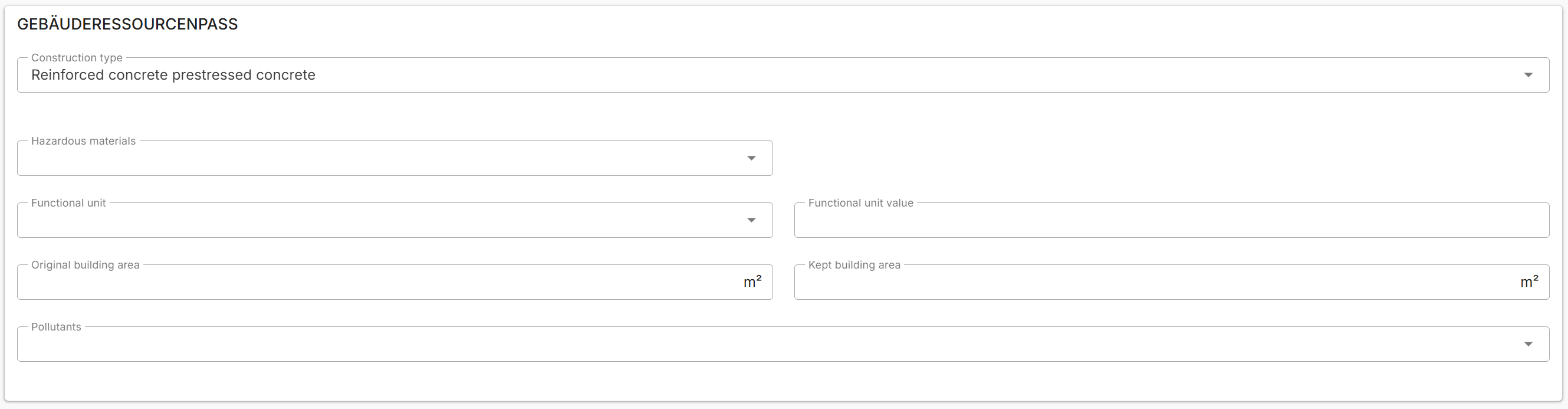
- Building fields have moved, mainly so that the specific fields that are only used in the Gebäuderessourcenpass are grouped together when choosing the scheme:
-
Numerous changes have been done to Madaster Match:
- An overview of the matches has been added:
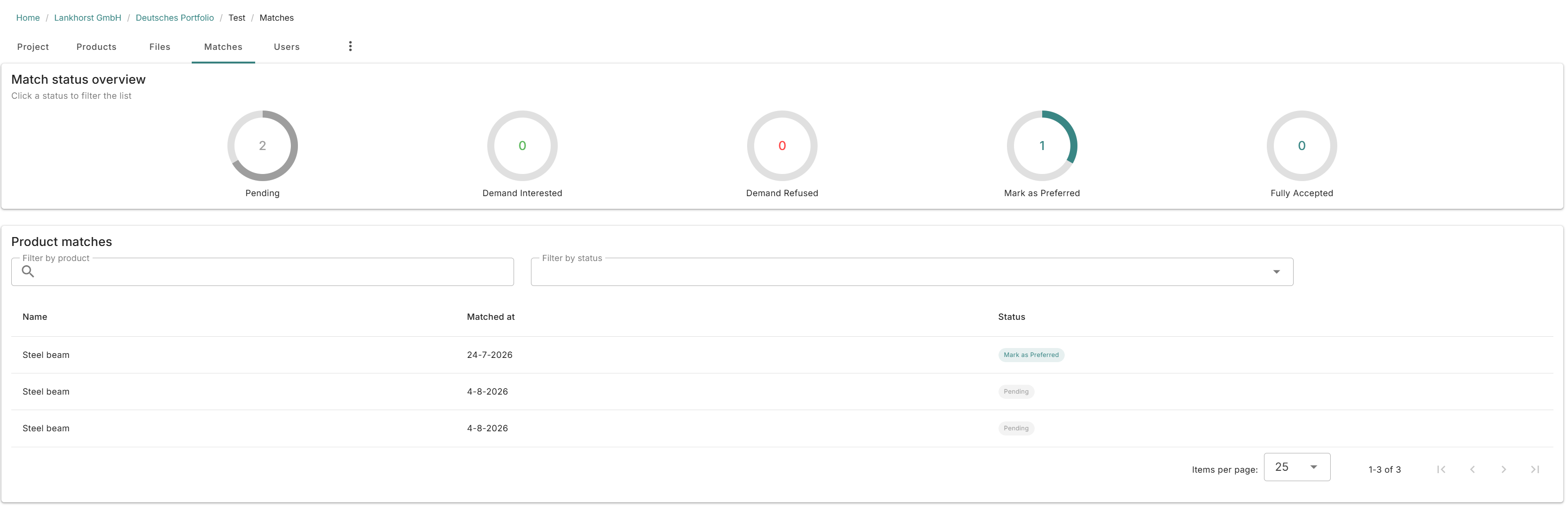
The new overview of matches. - It is also possible to change the status of the match.
- A classification has been added to the products
- Some dropdowns have been changed to checkboxes
- It is now possible to state the agreed price when completing a match:
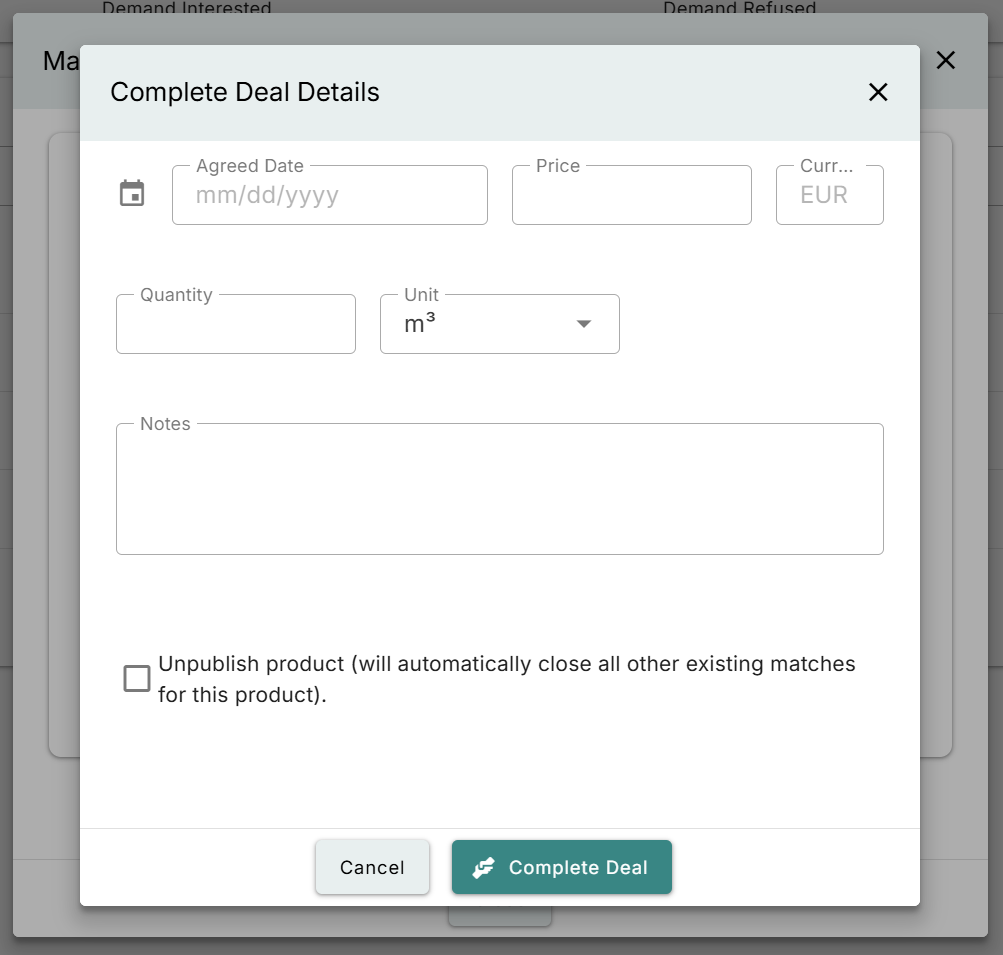
The form when completing a match. - It is now possible to export the products in a Madaster Match project:
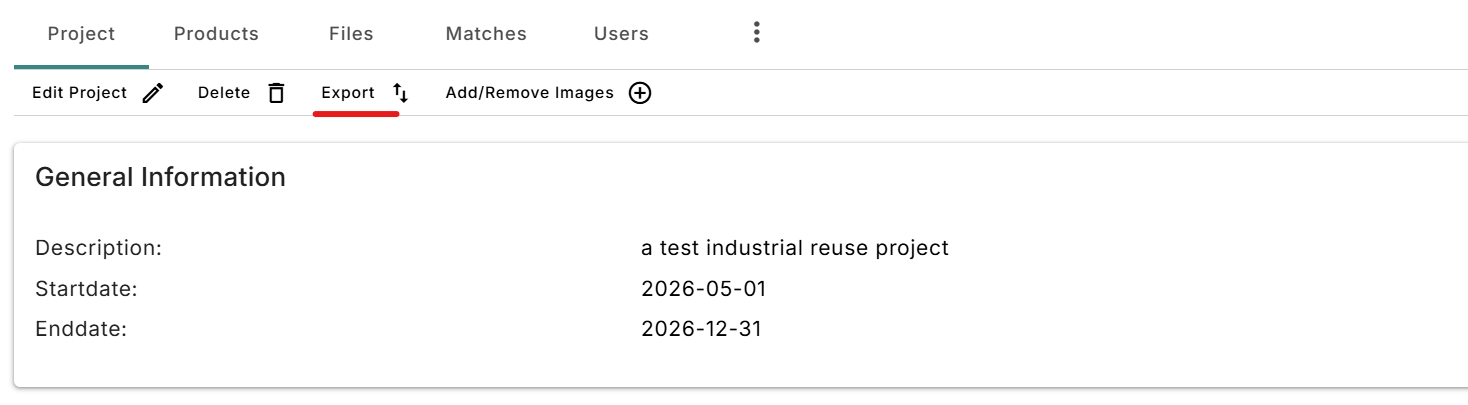
Exporting the project products in excel.
For the UK
The ‘Upfront carbon emissions’ have been added as a KPI in the environmental tab:

Bugfixes
- The results from Enersoft were not displayed anymore after saving, which was fixed
- It is now properly possible to delete a Madaster Match project
- Showcases would sometimes not show up for some users, which was fixed
Release notes 2026.6
- Build number: 40059
- Release date: 13th of July 2026
The main part of this release consists of a technical upgrade, which involves a number of changes to the user interface that were necessitated by a new version of a component framework. Although this upgrade is extensive, users should not notice any significant differences in the user interface.
Product Passport Options
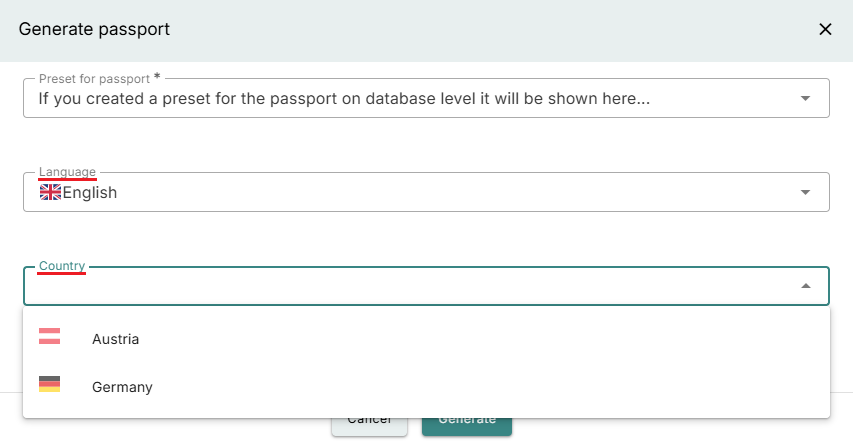
When producers generate a Product Passport for a product, they can now choose from a range of additional options.
-
Language dropdown: Instead of using the language specified in the user settings, you can explicitly select the language for the Product Passport.
-
Country dropdown: A database may be published for multiple countries, which means that a product can have different environmental values depending on the country selected. If the database is available for more than one country, you can choose which country’s environmental values should be used in the Product Passport.
Benchmarking on Circularity
It was already possible to set benchmarks for an object or compare it with other objects based on its environmental assessment. This functionality has now been extended to the circularity assessment as well.
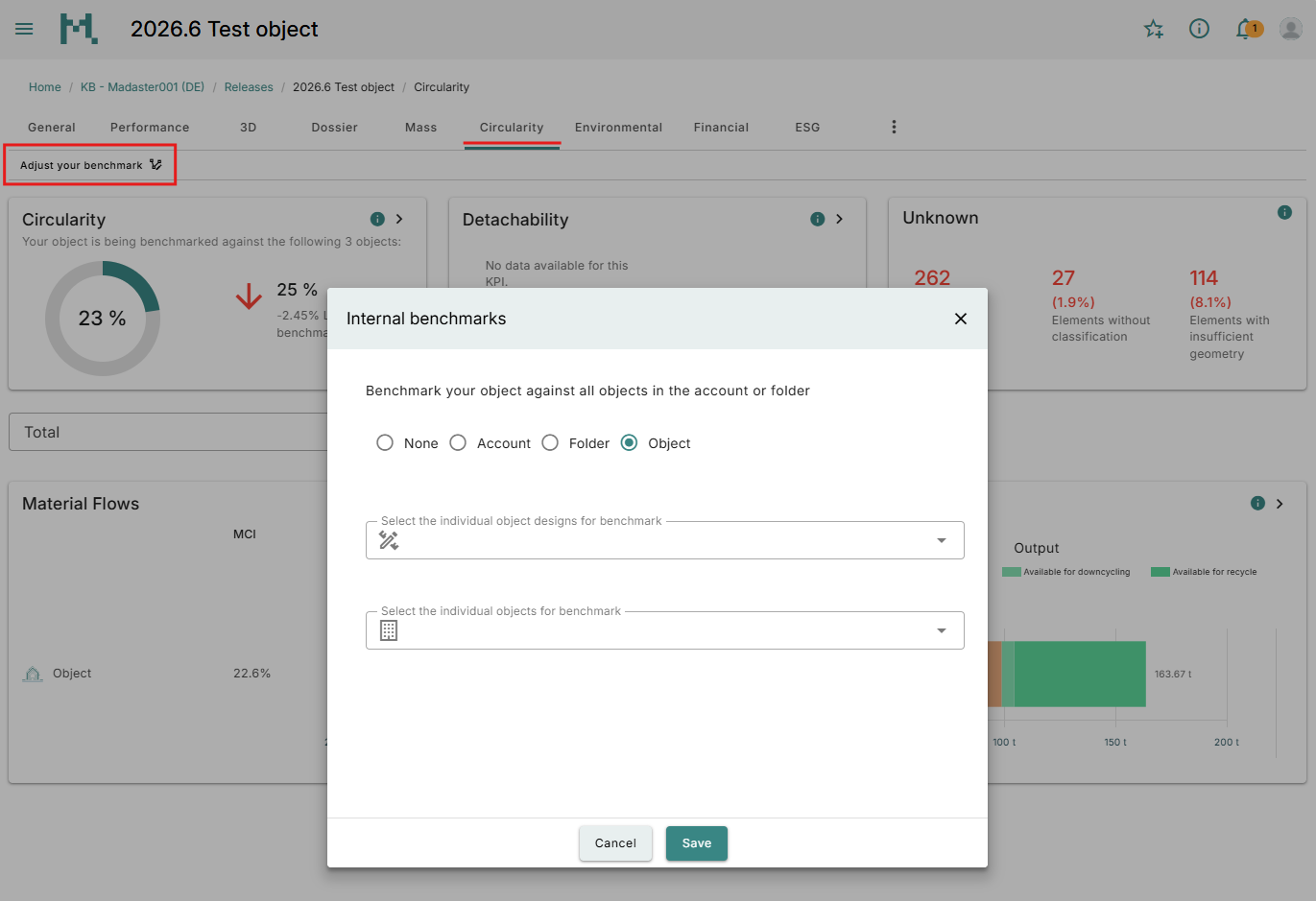
Click on “Adjust your benchmark” in the toolbar of the Circularity tab and make your selection.
If you wish to benchmark against the entire account, as before, the value will continue to be displayed on the Circularity card. However, you can now also benchmark against specific object types or limit the comparison to objects within the current folder.
If you select specific objects or designs, they will also be displayed side by side in the Total bar chart.
Country specific
- For Germany when transferrring an object containing QNG information to another account, the QNG information was not tranferred; this has been fixed.
- For Germany in the DGNB GRP only the current value was exported, even though cell D264 should contain the residual value and cell D64 the current value. This issue has been corrected.
- For the Netherlands, following the publication of new energy carriers by the NMD, some options were displayed multiple times when B6.1 was added to an MPG object. This issue has been corrected, and the platform now displays the applicable energy carriers based on the calculation date.
Bugfixes
In addition, we focused primarily on bug fixes in this release.
- When using the 3D Viewer for Materials and Products in the Environmental tab, sorting by impact did not work correctly; this has been fixed.
- When switching between options in the drop-down menu on the Circularity tab at folder level, it was sometimes necessary to select certain options a second time before they were displayed as intended; this has been fixed.
- Elements could not be added to virtual files via enrichment; this has been fixed.
- If elements were mapped to components, the products listed in the Technical Annex on Elements were incomplete; this has been fixed. Furthermore, to avoid confusion, the geometrical information of these products has been reduced to only those values used for the environmental calculation.
- The Product Passport export did not display GWP and showed an incorrect financial value; this has been fixed.
Release notes 2026.5
- Build number: 39740
- Release date: 8th of June 2026
Changes
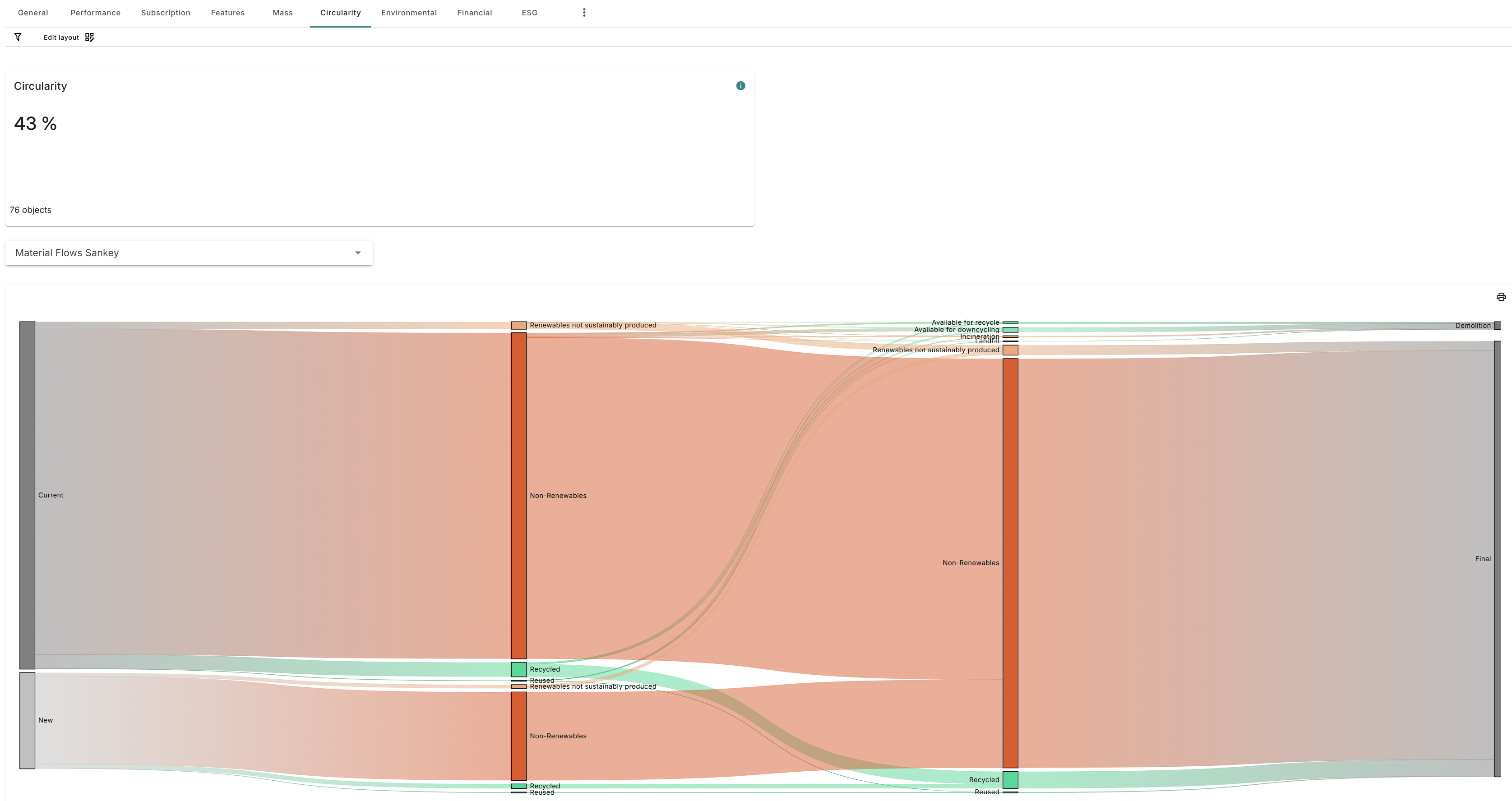
- Sankey diagram; it is now possible to see the material flow Sankey on account and folder. This diagram was only available on buildings in renovation. It is available at the dropdown on the circularity tab:
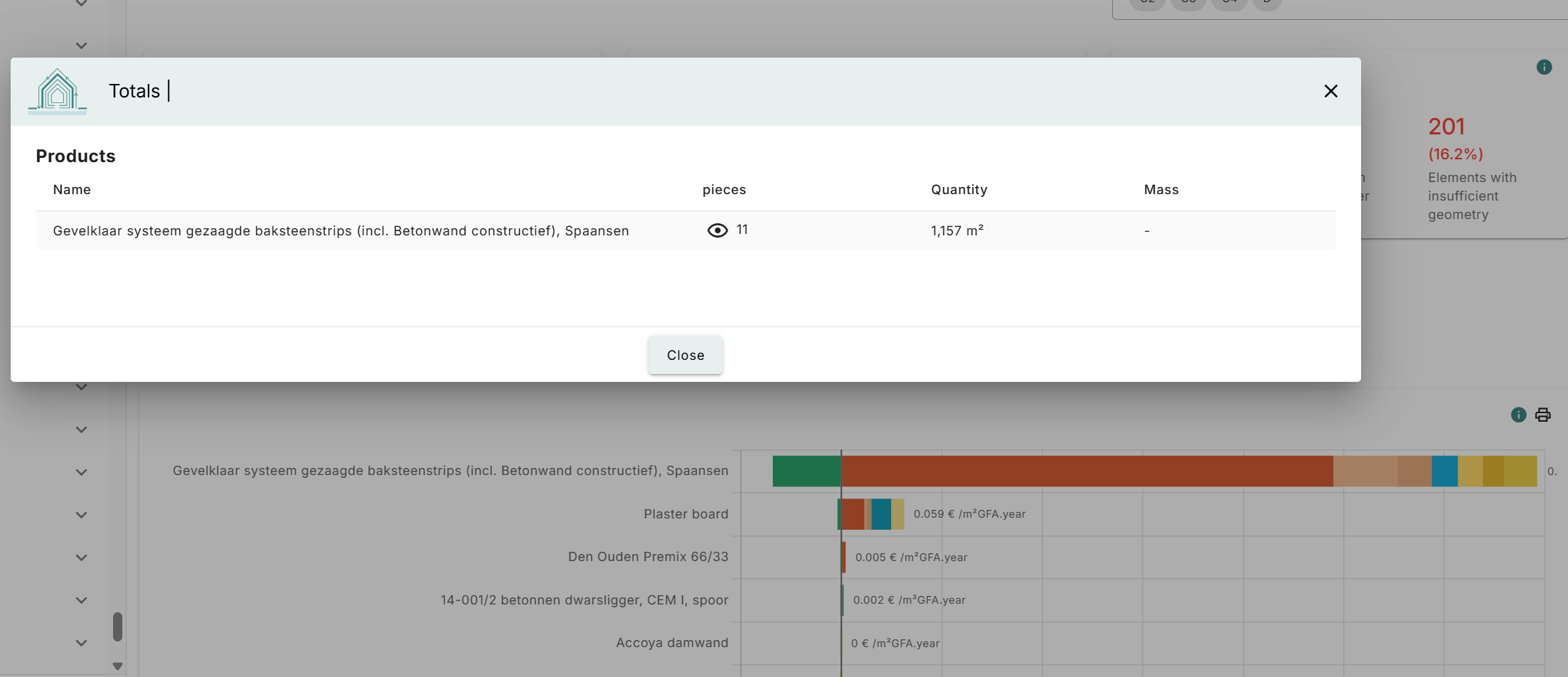
- See products when clicking on the graph in env with material/products selected; it is now possible to see the products when you are in the environmental tab on a building and having selected the view for materials/products:
Adding elements outside of elements in an original source file
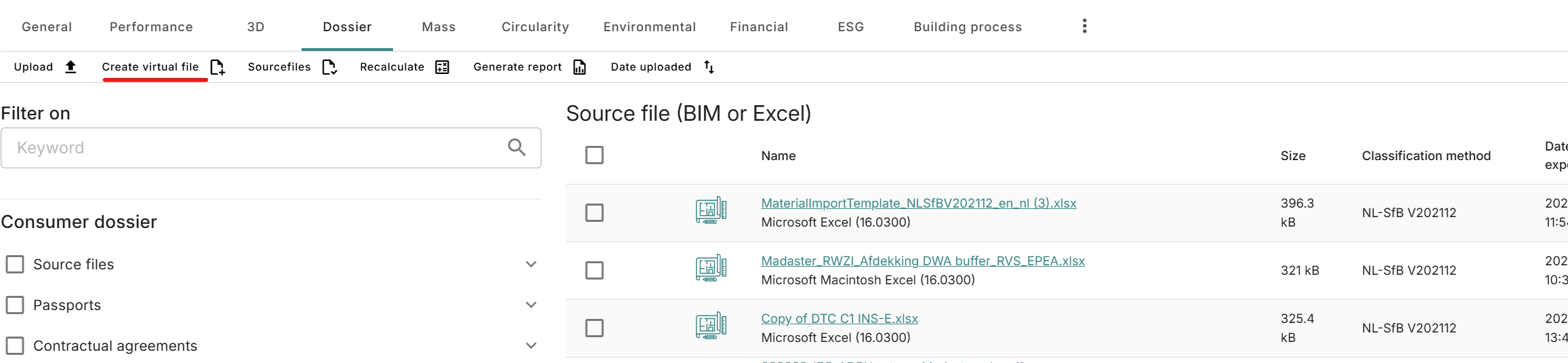
In the dossier of a building it is now possible to add a virtual file:
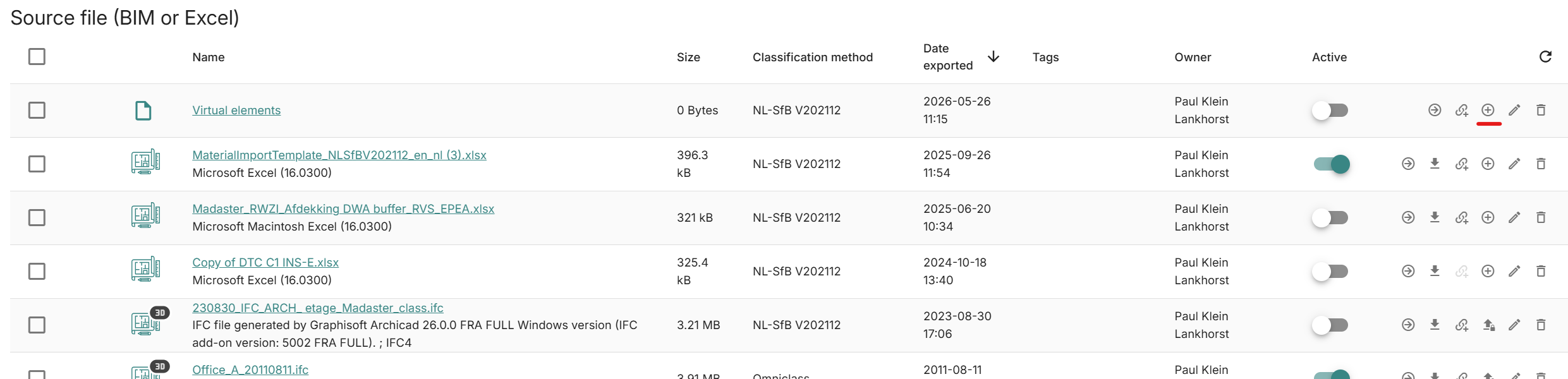
For both virtual files and excel source files it is possible to add elements directly:
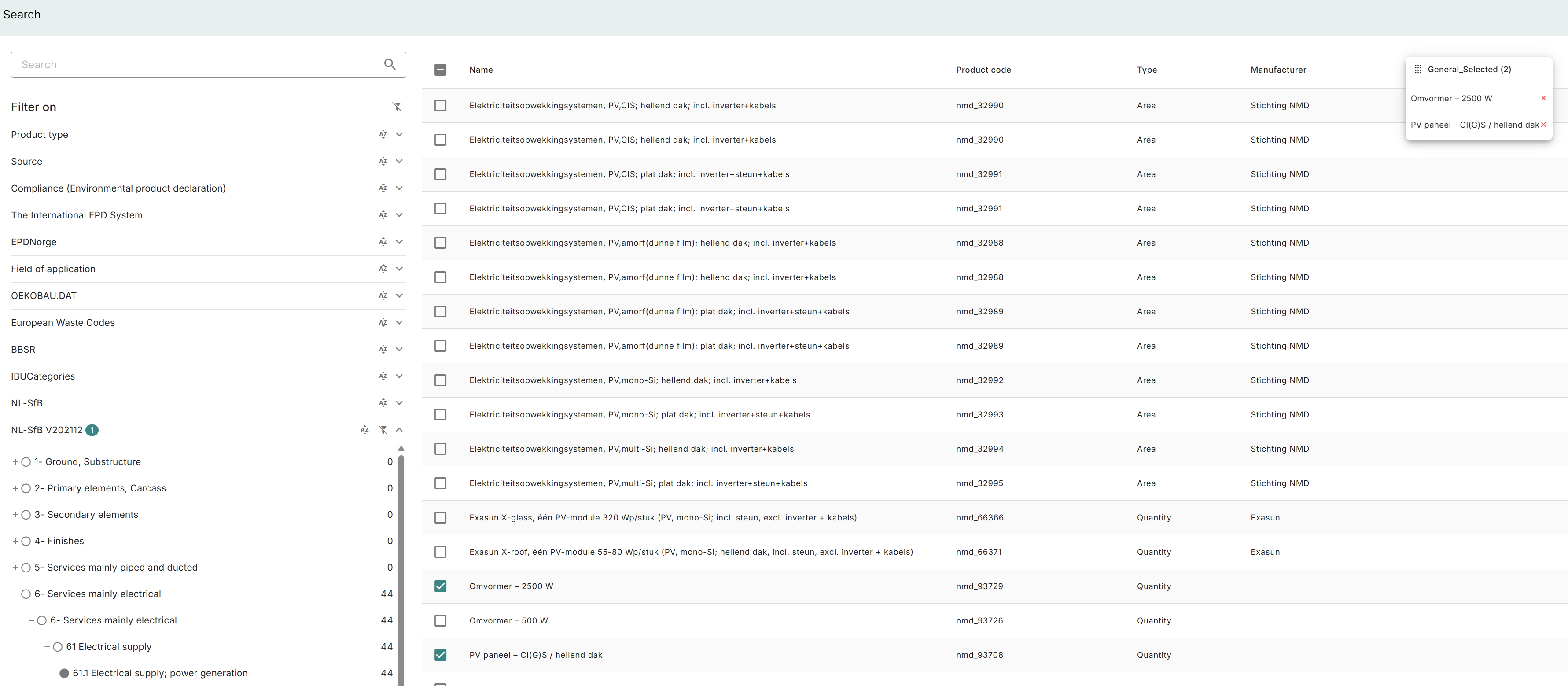
When adding elements it is possible to filter on products. While selecting products a separate box is shown from which you can see/manage the selection:
Once products are selected it is possible to adjust the values, such as phase and quantity:

Country specific
- Onvoorzien hergebruik; for MPG buildings the reuse % on element has been replaced with a ‘unforeseen reuse’ toggle as used in the MPG calculation rules:
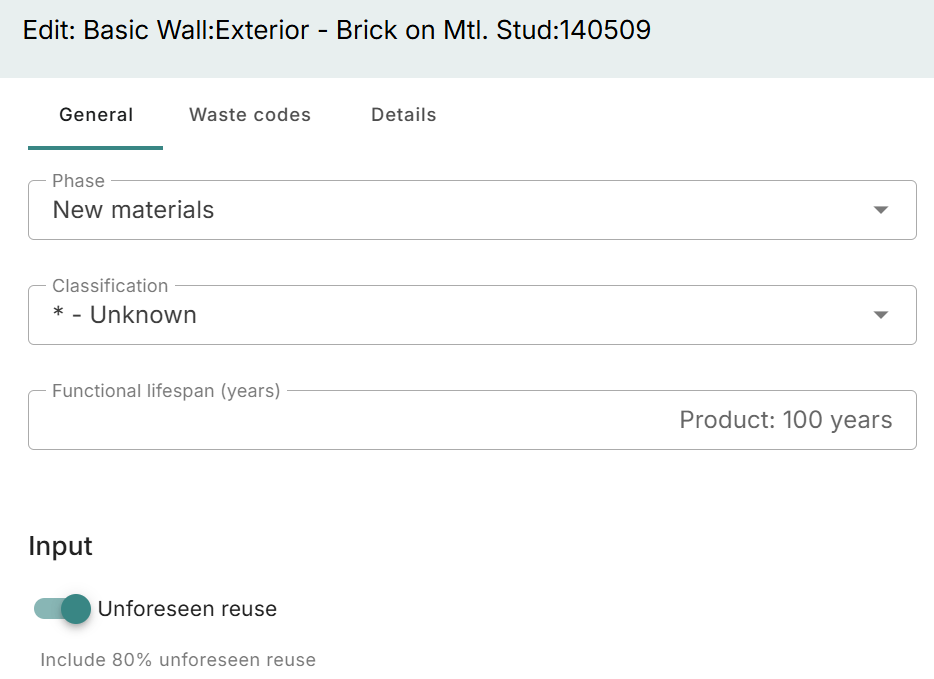
The calculation was already done according to the rules but now it is more clear in the UI as well.
API 4.0
The API has been updated substantially. For further information please see our OpenAPI documentation and apply for the Newsletter.
Release notes 2026.4
- Build number: 39222
- Release date: 4th of May 2026
Changes
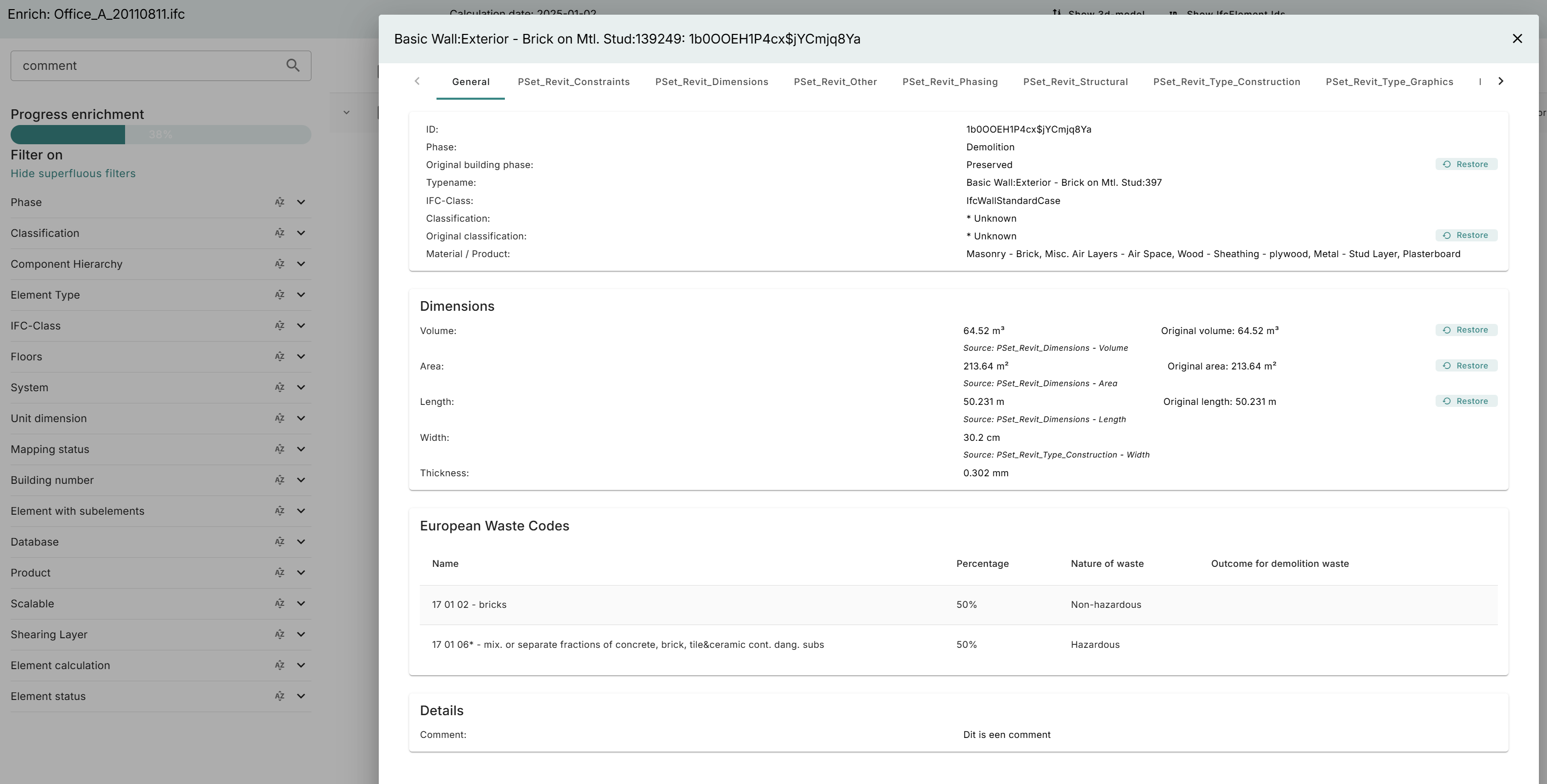
- Comments searchable in enrichment; if there is a comment on your element you can now search on it in enrichment. The whole comment is searchable:
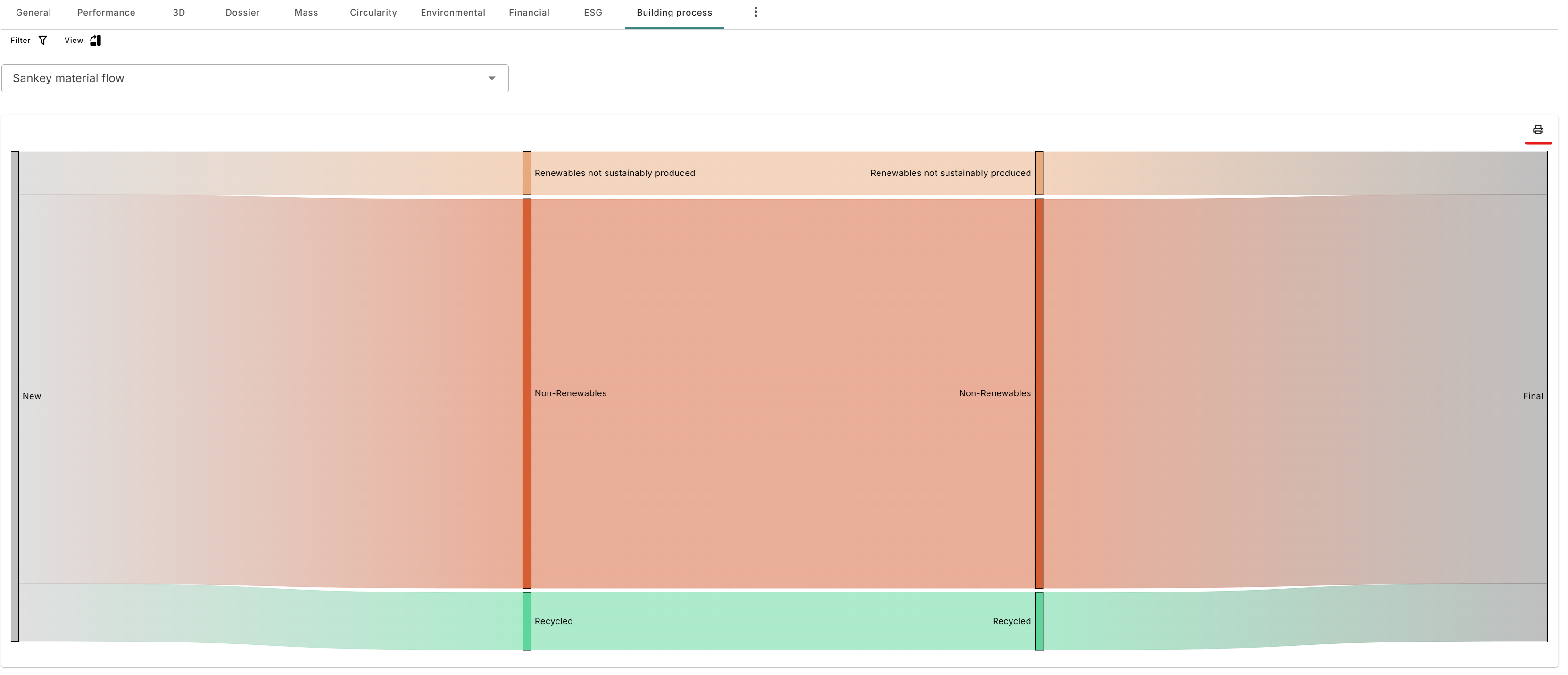
- Sankey in PNG; it is now possible to export the Sankey diagram from the building process table in .png. This is available for both Sankey diagrams.
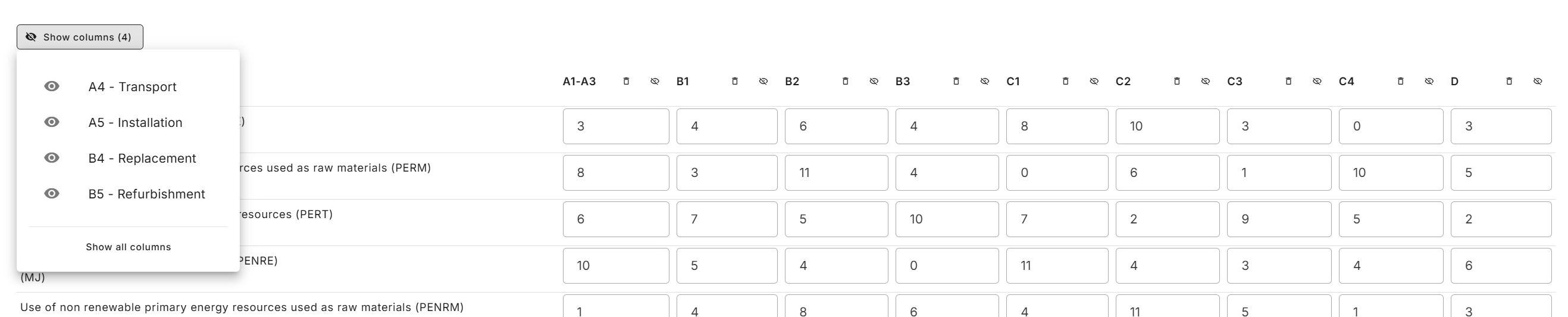
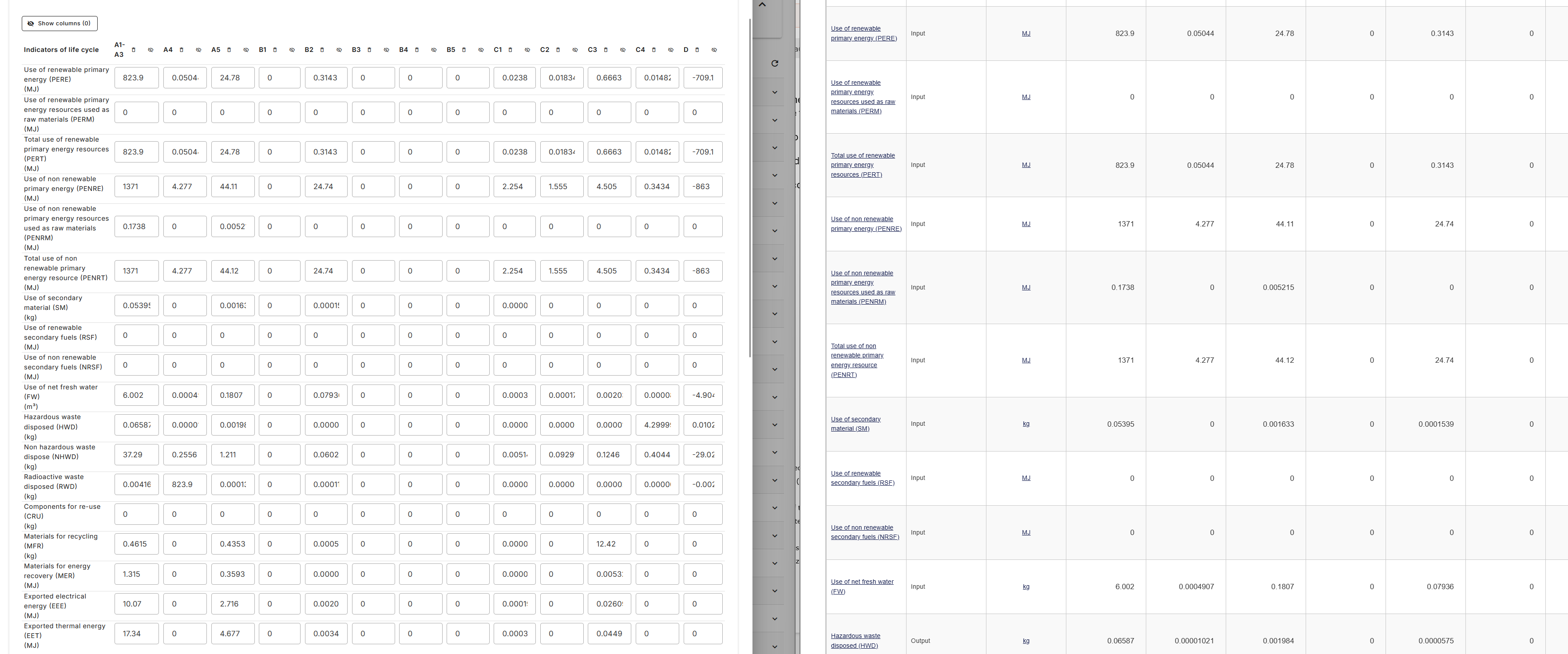
- Copy paste rows or tables on environmental information on a product; if you have the environmental information of a product in a table (from an excel or a webpage like the product information on Okobaudat) you can now copy a whole row or table at once in the platform. It is now also possible when editing the data to hide columns or to empty them. When hiding there is the option to unhide as well. When copy pasting, keep in mind that the number of columns need to match.
-
Default element phase has been added to the upload presets; this was already possible in the regular upload of a building file.
-
For IFC v2 exports from Archicad we will now strip the prefix from the material properties in case the prefix is identical to the material name so that if you want to map the property in for example your upload settings you have a singular reference which works.
Country specific
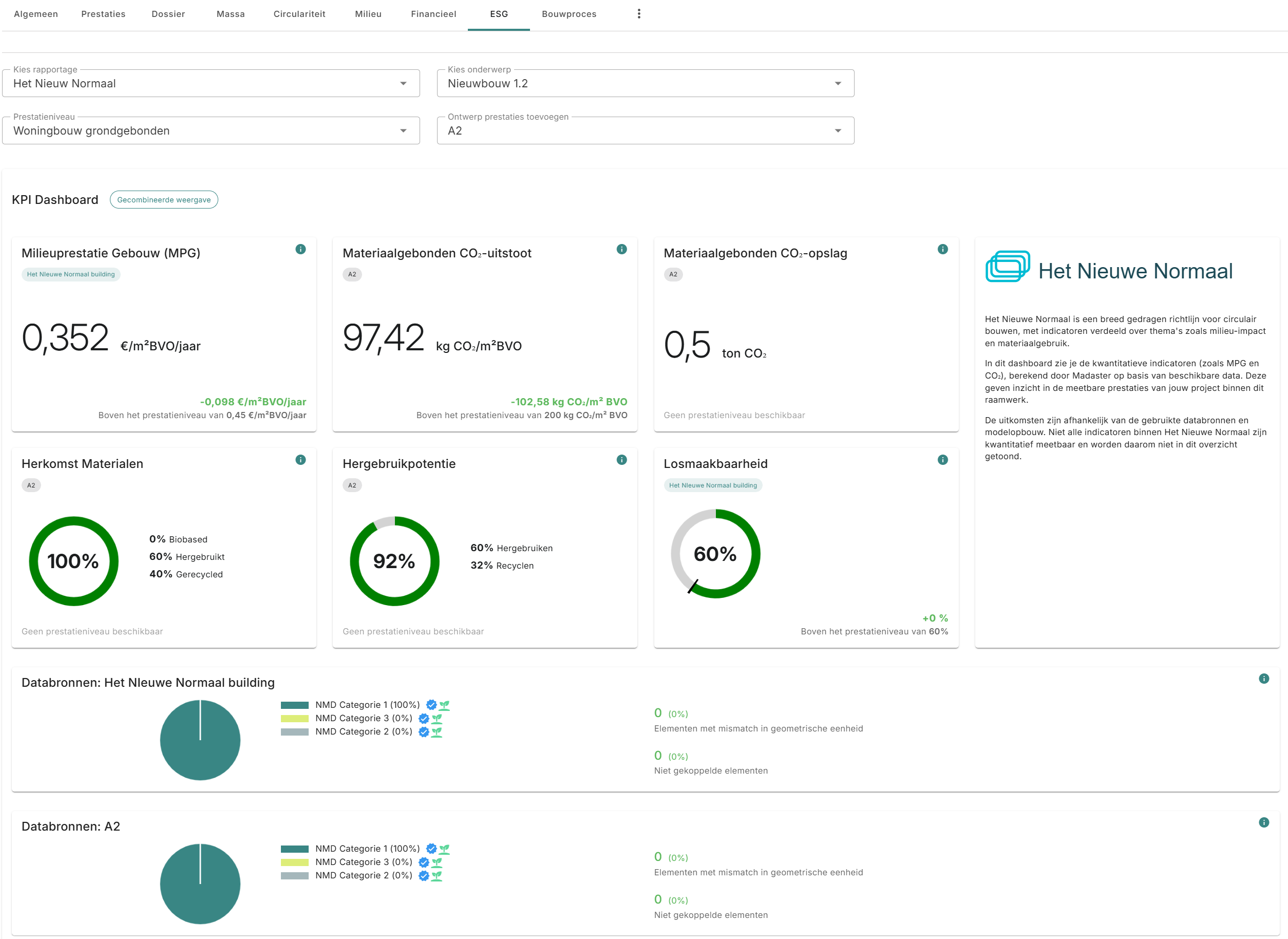
- For the Netherlands a dashboard has been added for Het Nieuwe Normaal:
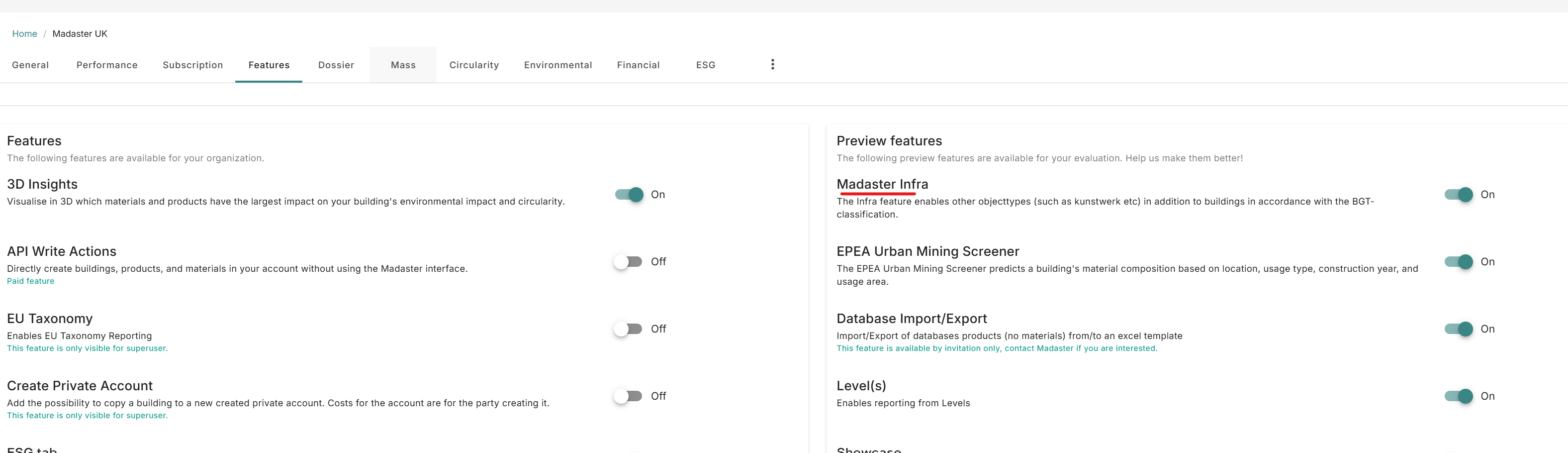
- For the UK the infrastructure preview feature has been made available as well as some additional infrastructure objects
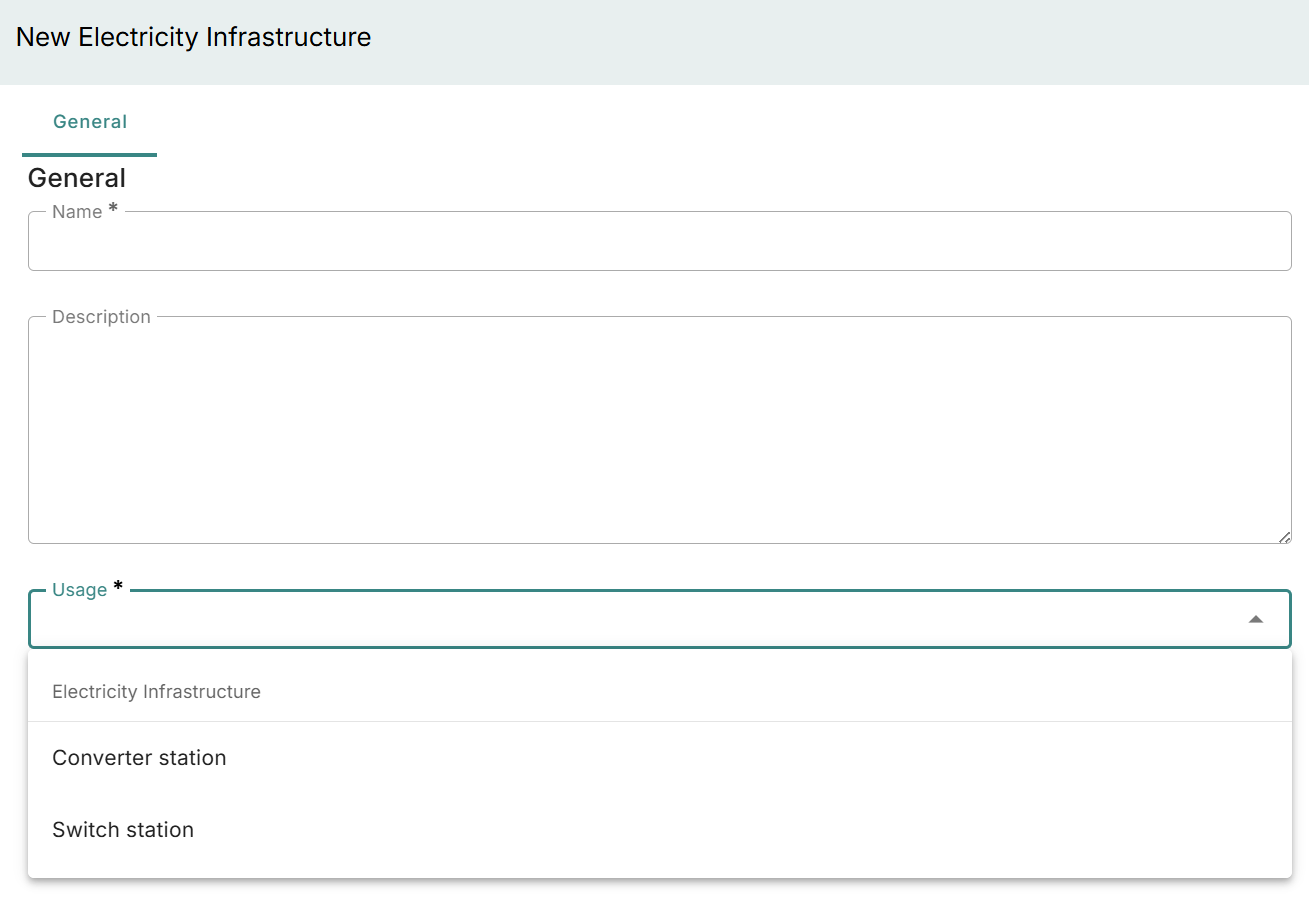
- The additional objects are categorized as "Electricity Infrastructure" with options for "Converter station" and "Switch station":
- Additionally, the fields on the "power cable" have been changed.
- For Germany the default compliance has been changed to 15978 A2 when opening the environmental screen.
Bugfixes
- The number of elements as shown in the mass tab would not always be correct; this has been fixed.
- When inputting environmental data on a product the number would incorrectly be rounded in case of 6 decimals; this has been fixed.
Release notes 2026.3
- Build number: 38161
- Release date: 28th of March 2026
Showcases
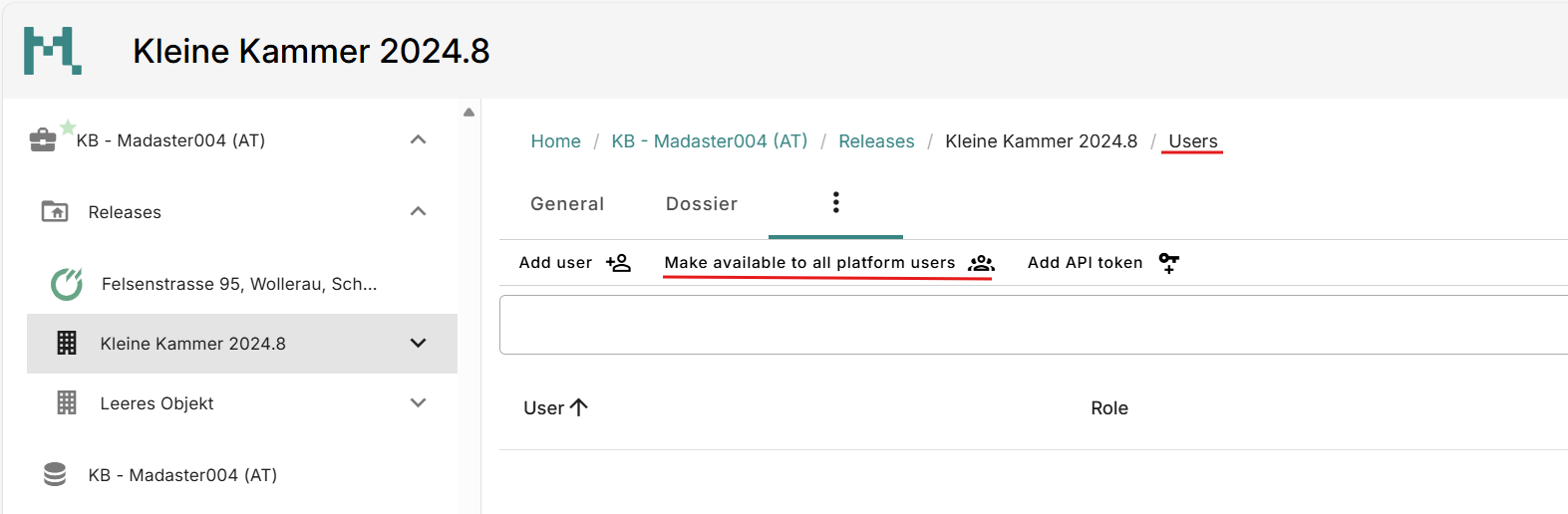
Available for all but especially for Producers and Austrian Circularity Leaders we introduced the possibility to share an object as a showcase with all users of your countries platform. Meaning every user within your country will get reading access to the published object. Our teams use it to share our Demo models with you. If you are interested to share insights on your object(s) please contact your local supportteam.
If the feature is enabled go to the ‘Users’ tab of the object and click on ‘Make available to all platform users’.
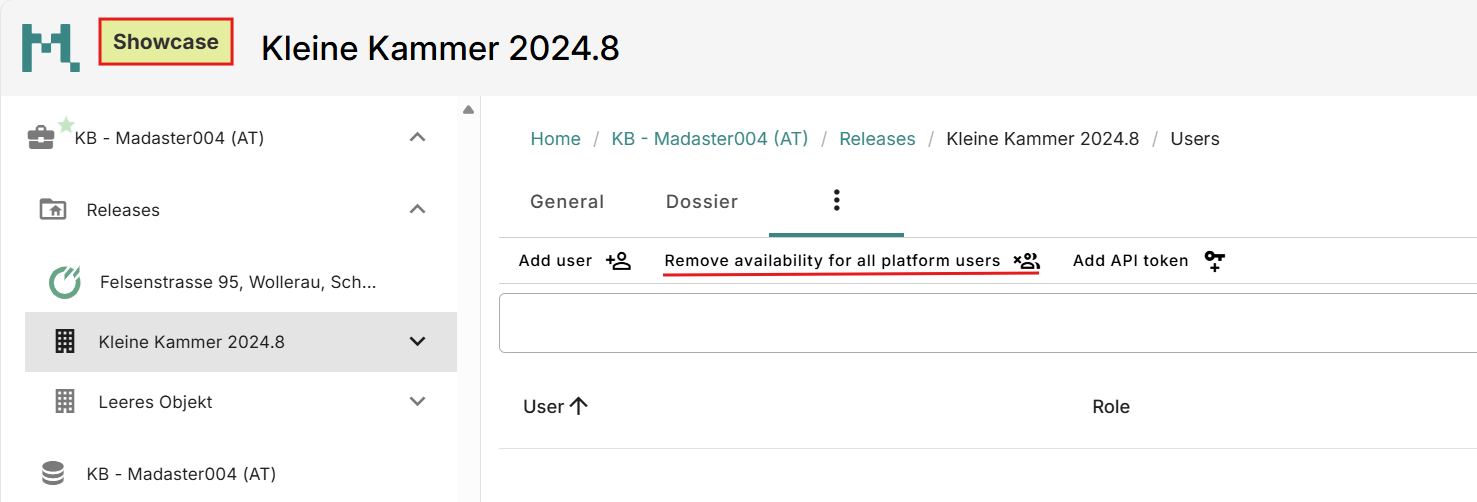
The object will appear in the navigationlist on the left of each user and a tag will mark it as ‘Showcase’. This tag will also make it easier for you as the owner to recognize that it is shared.
Update and new filters for system databases
The following databases were updated:
- ENVIRONDEC
- IBU DATA
- KIWA
- MRPI
- and ÖKOBAUDAT
And if available information on
- Functional Lifespan
- Publication date
- FreeClass
- and IBUCategories were copied and can now be filtered for.
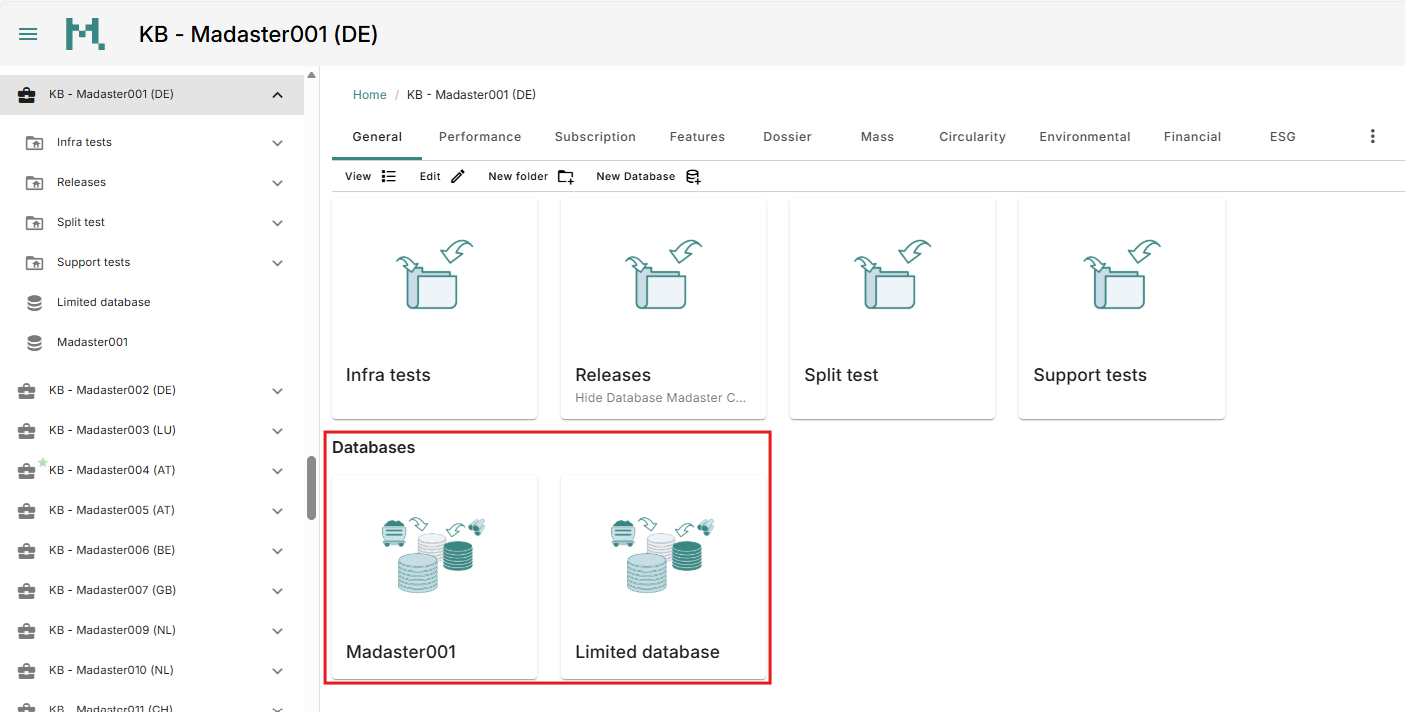
Individual database visible in the general tab
Apart from being shown in the navigation list on the right, databases are now also shown in the general tab of the level they were created in, meaning on account or folder level.
Show quantitysets (IFC)
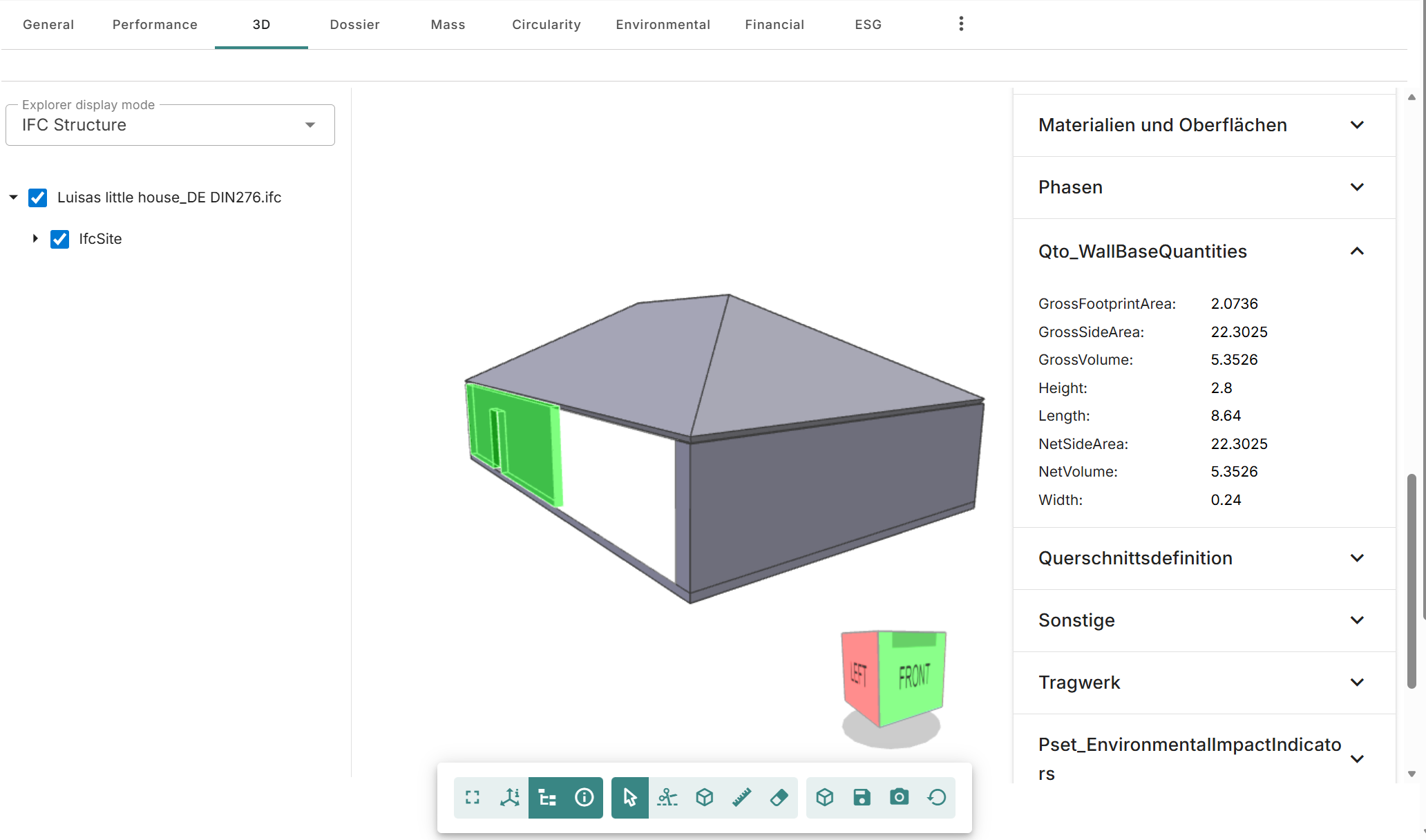
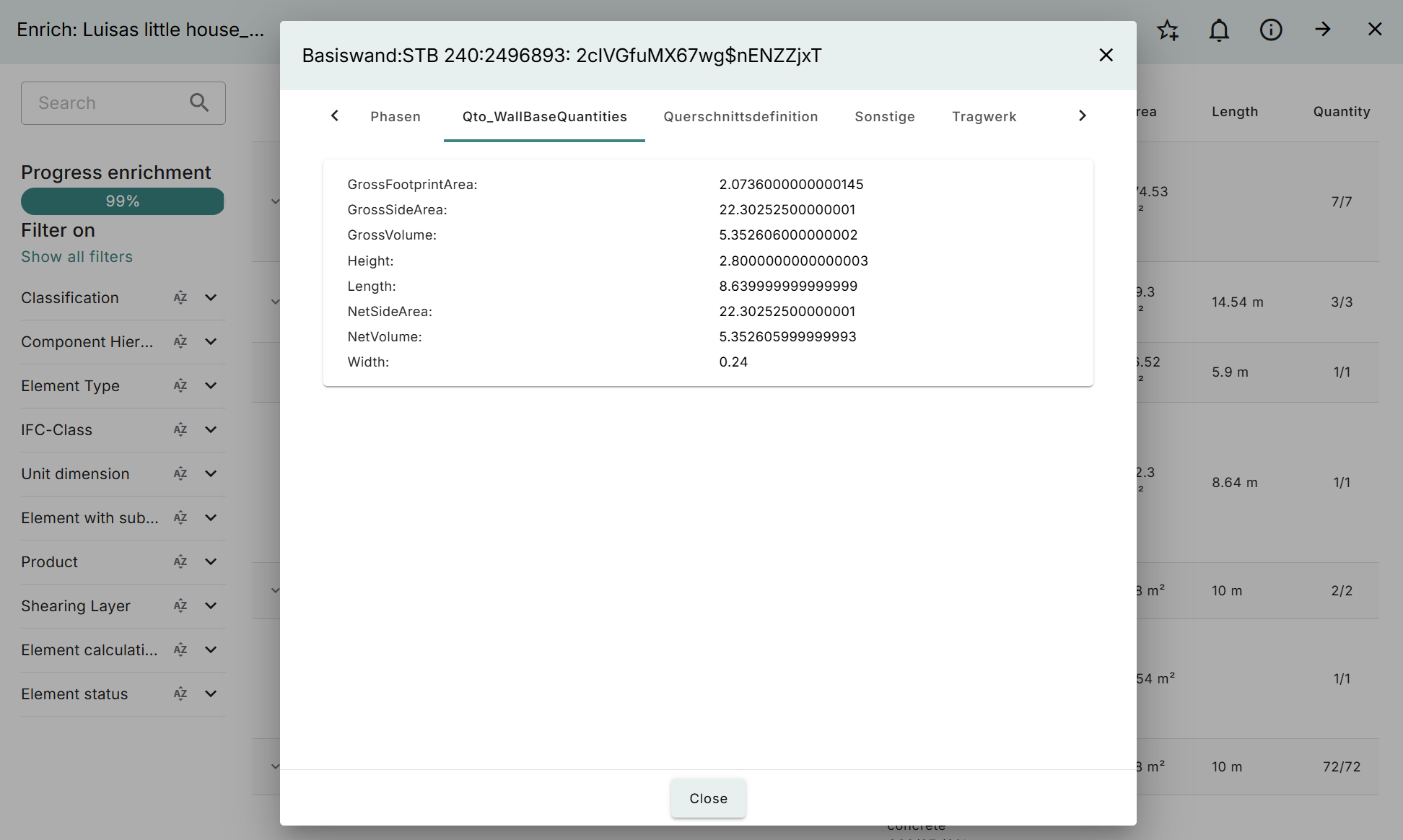
In the 3D tab and in the enrichment the platform shows all propertysets of a selected element. Now we also included the quantitysets ‘BaseQuantities’ and ‘Qto[…]BaseQuantities’. This offers further insight since those set often contain the geometrical information of an element.
Country specific
- NL: For new Dutch buildings there is the option to generate a HNN report in the ‘General’ tab.
- CH: The new version of the KBOB (2009/1:2022, Version 8.0) is available in Madaster.
Bugfixes
- QNG: C3+C4 included in LCA again
Release notes 2026.2
- Build number: 37547
- Release date: 21st of February 2026
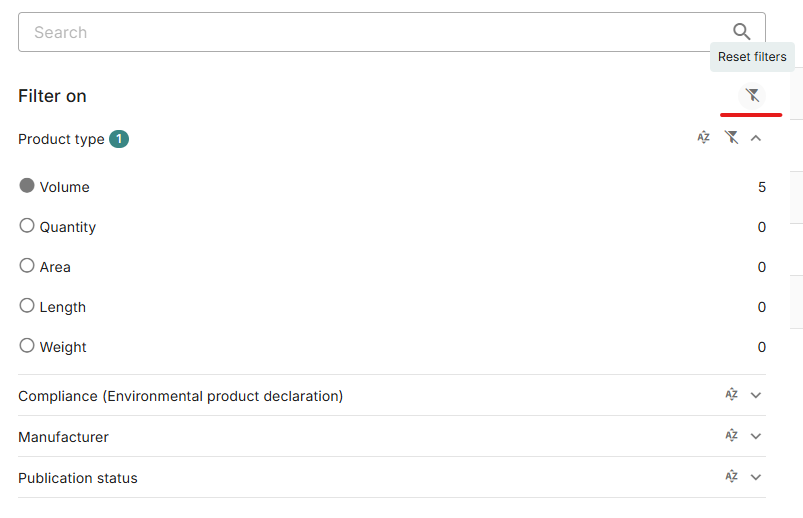
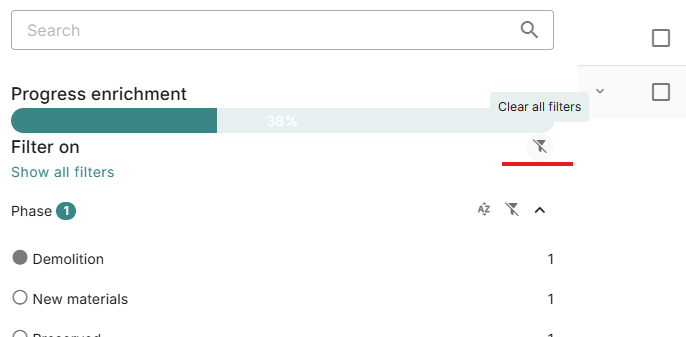
Reset filters
It is now possible to reset or clear all filters in enrichment or database overviews:
Show individual search criteria in enrichment
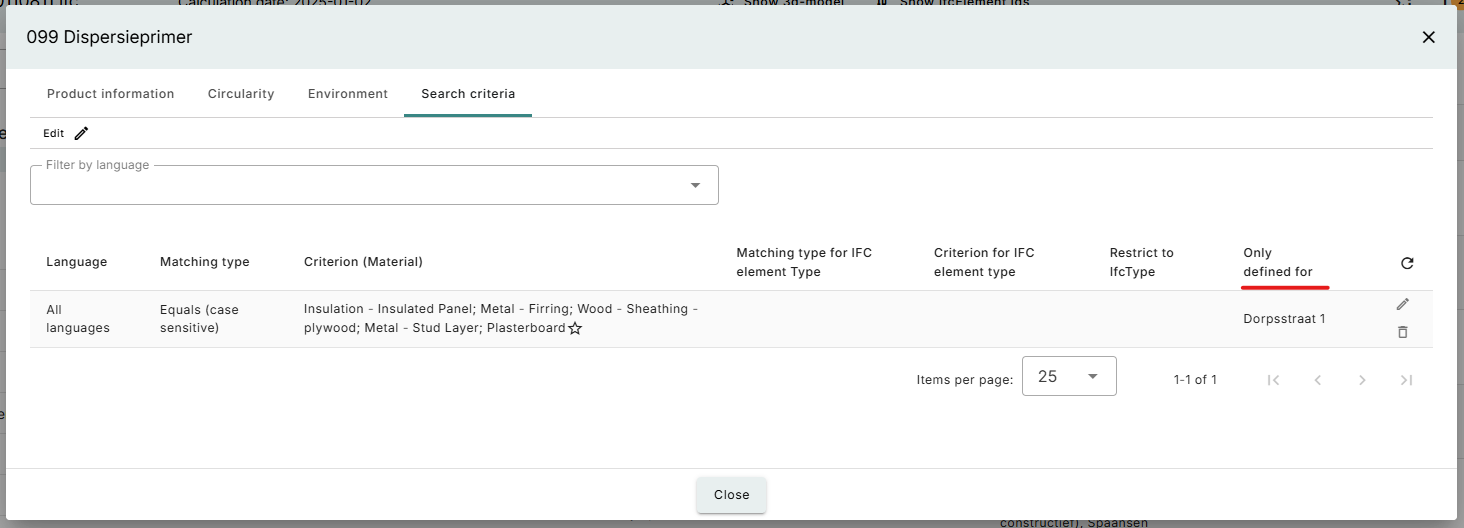
If a search criterion was created when linking from enrichment it is now possible to view on the search criterion whether it was applied to the building or account level:
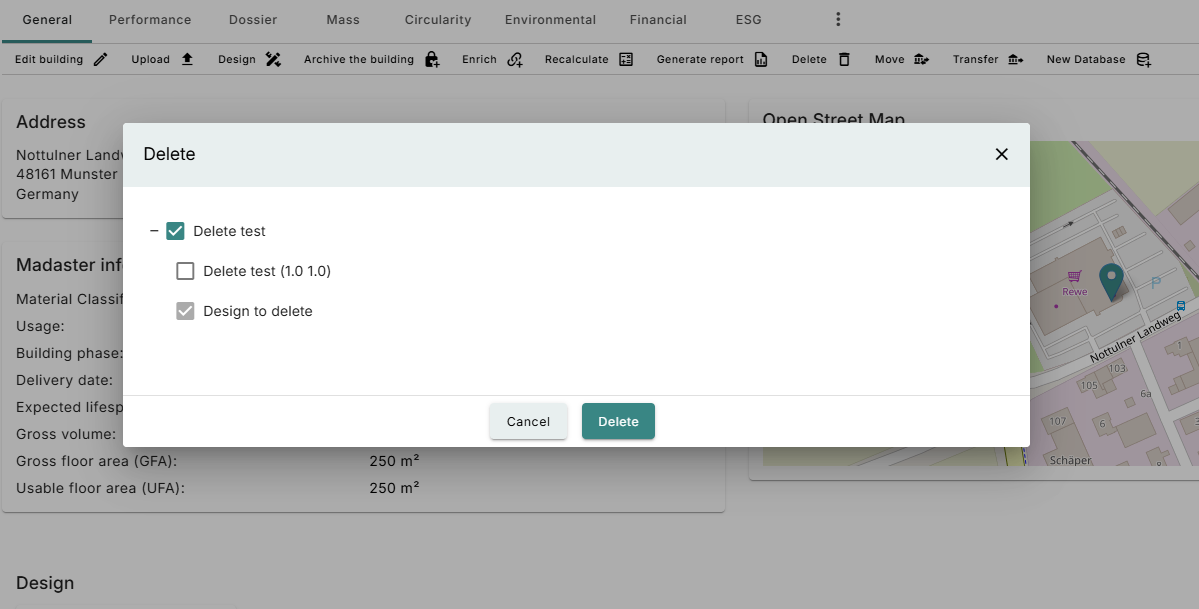
Changes to deleting an object
When deleting an object which has designs and/or archives there is now an option to select which of these to delete as well. By default designs will be deleted and archives will not:
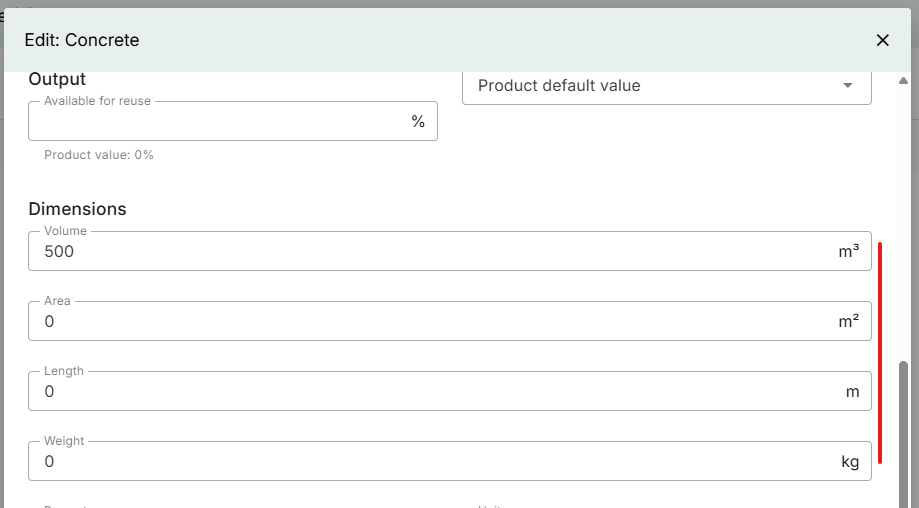
Unit shown when editing an element in enrichment
We have added the unit to the dimensions when editing an element in the enrichment screen:
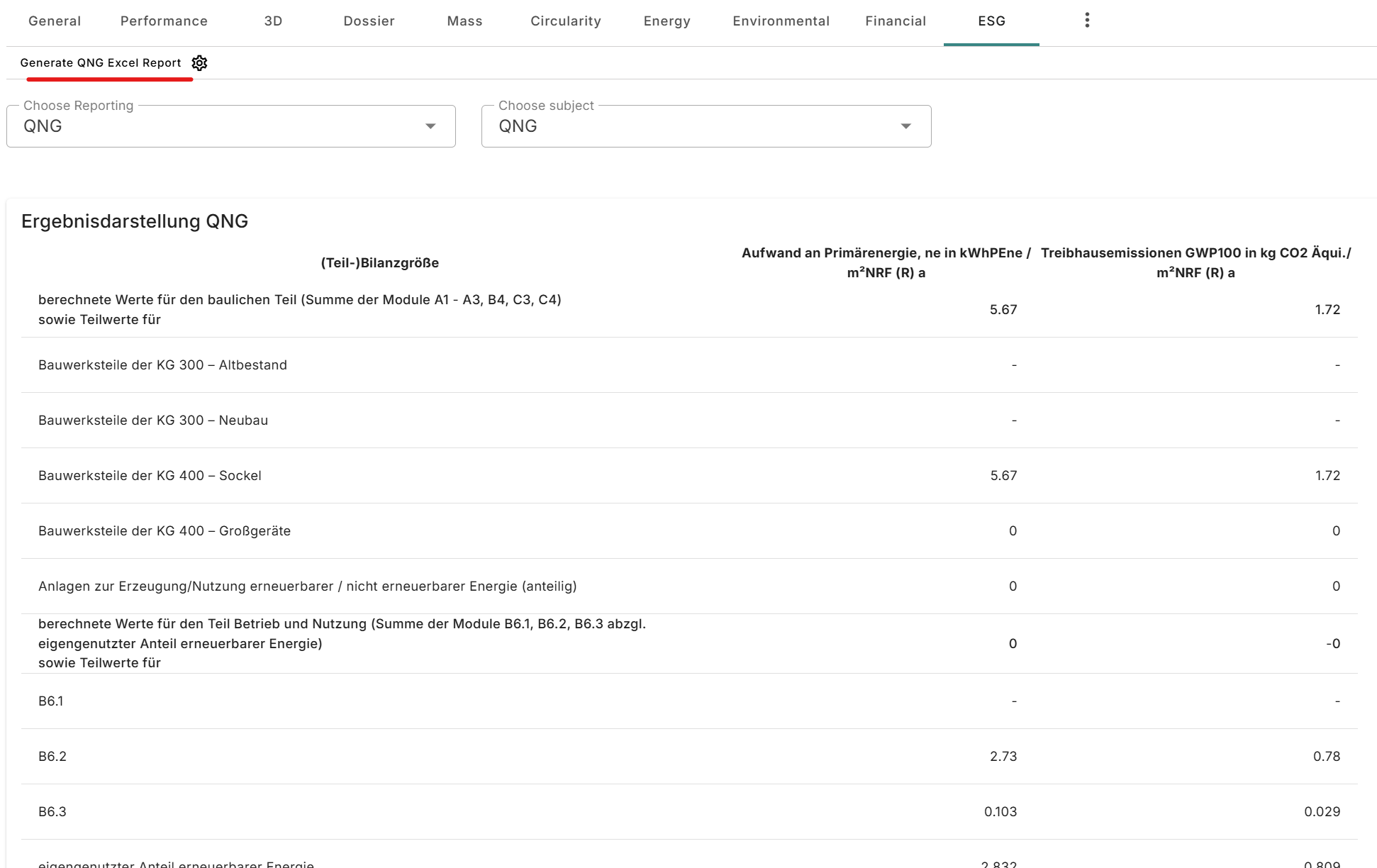
Country specific
- There is now an QNG excel export available:
Bugfixes
- Downcycled not being calculated properly when in BoM
Release notes 2026.1
- Build number: 37037
- Release date: 17th of January 2026
UI/UX Changes
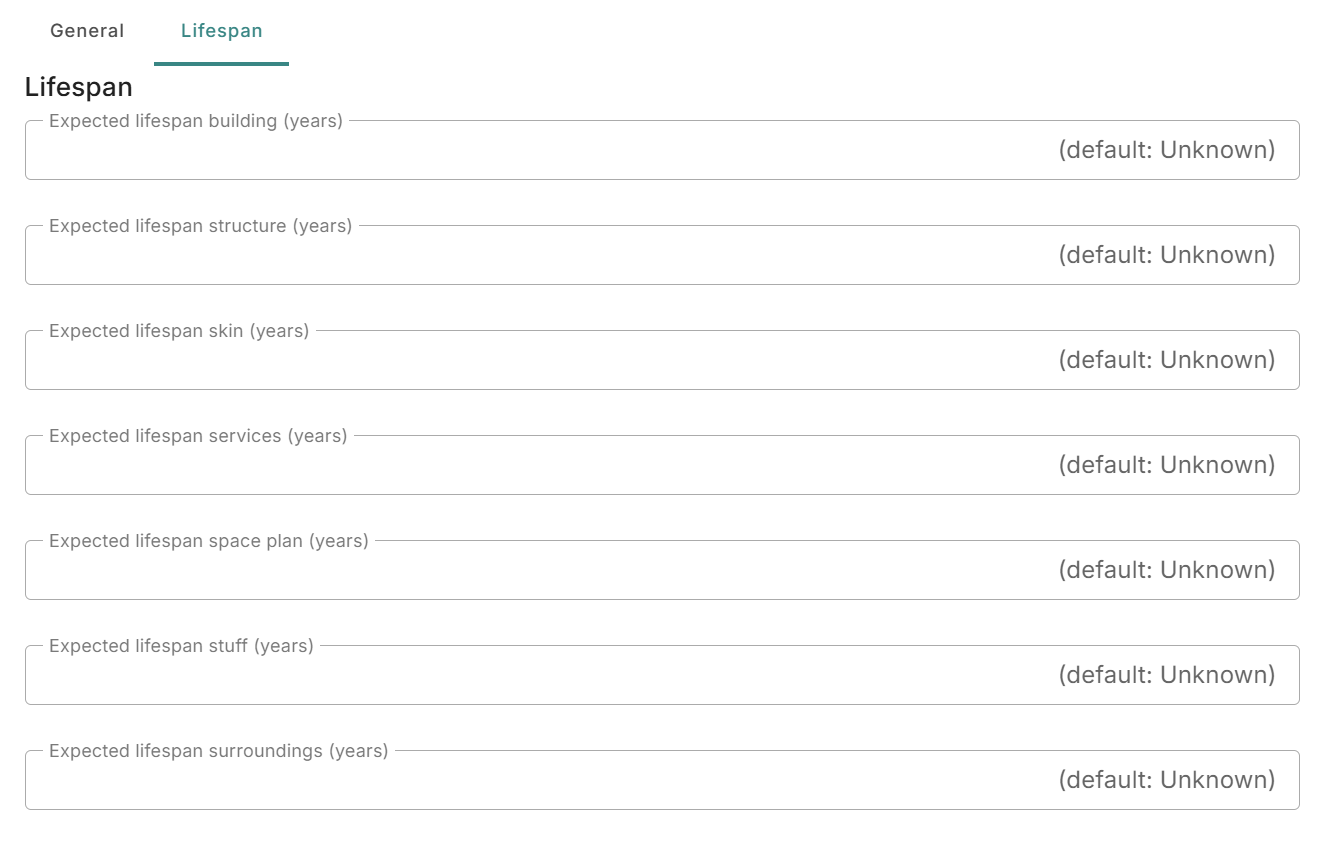
- For infrastructure objects the lifespan table for layers has been removed:
- The area definition used in schemes will be used throughout the building, for example in the financial tab, where possible
Country Specific
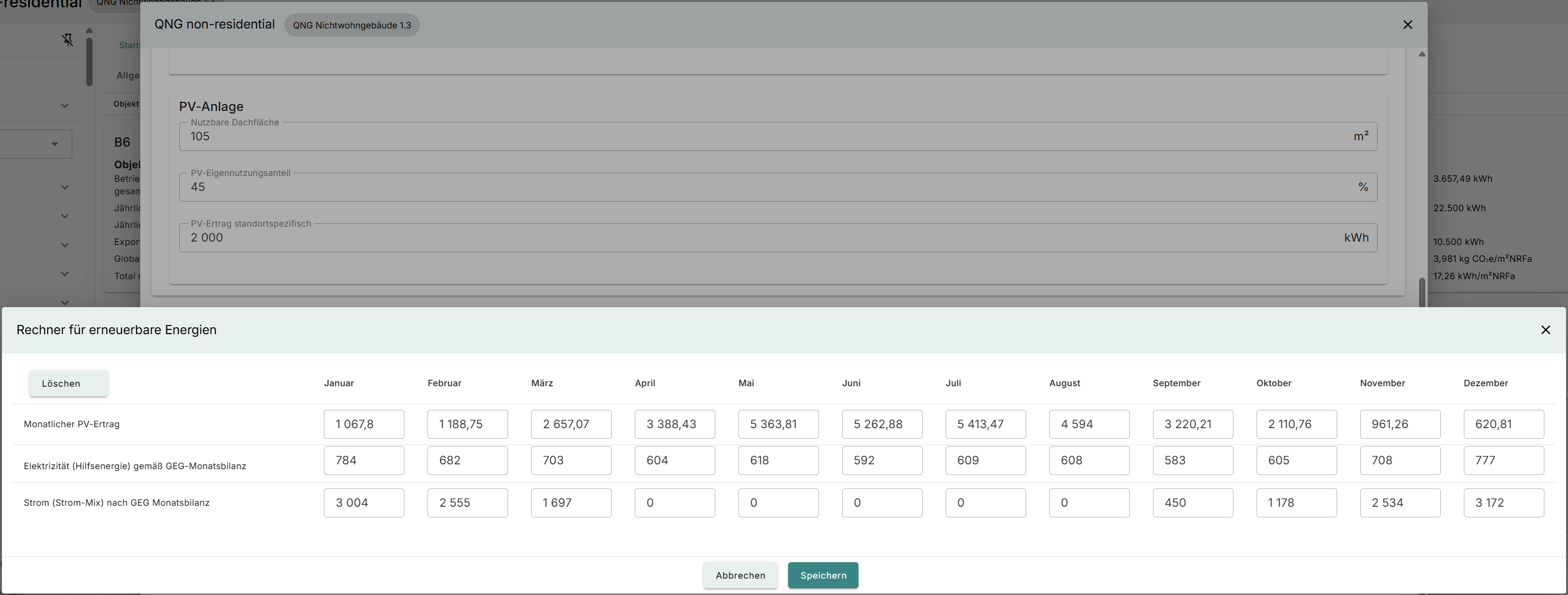
- For QNG a help for calculating the impact of PV for energy has been added for residential buildings:
- For DGNB the PENRT will now be shown in the environmental tab as kWh/m2 NRF a instead of MJ/m2 NRF
- DGNB detachability has been added, including in the GRP
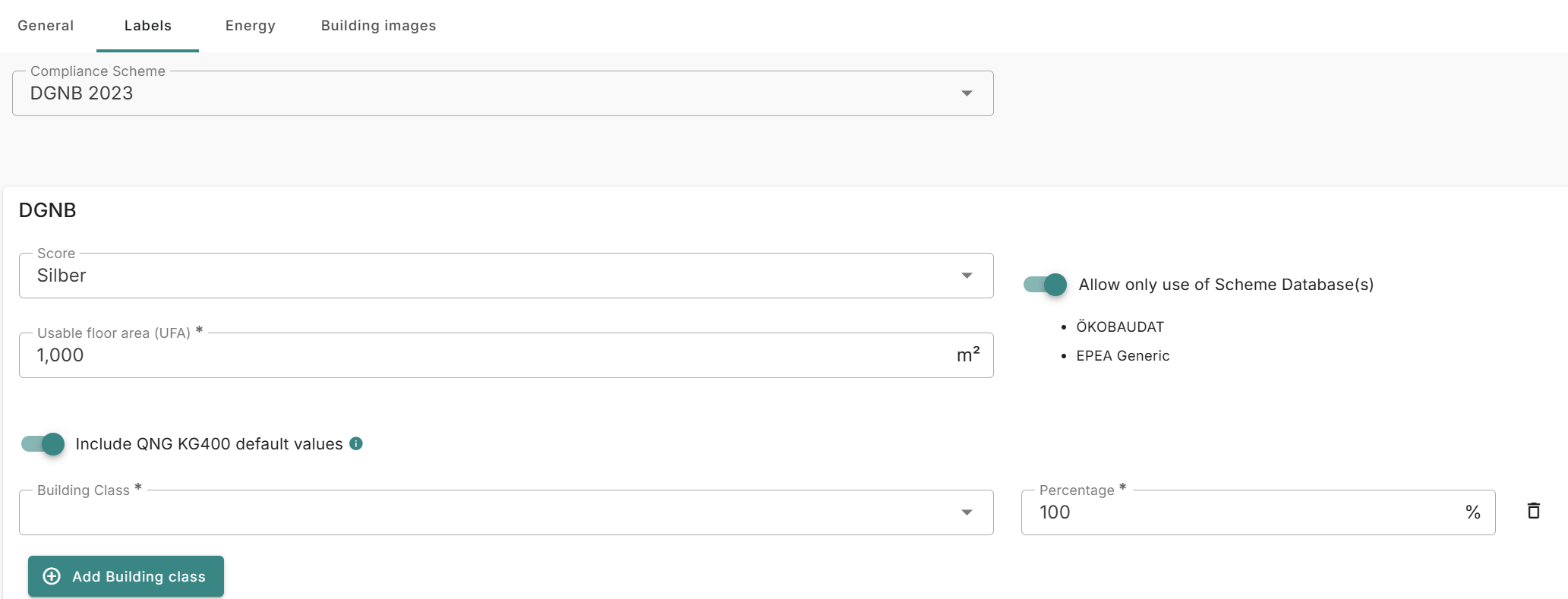
- It is now possible to add the ‘sockelbetrag’ for DGNB:
Older release notes
More information about the releases can be found here: